Tips
Headshots for New Hires: How to Get a Matching Photo in Their First Week
The team shoot was in March. Someone started in April, and their square on the team page is a gray silhouette. Here is how to make the headshot a standing onboarding step.
 Ben LoBue
The team shoot went well. Everyone's photo matches, the About page looks finished, and then March turns into June. Two people started in April, one in May, and the directory now shows a row of matched headshots followed by a gray silhouette, a cropped vacation photo and a screenshot from a video call.
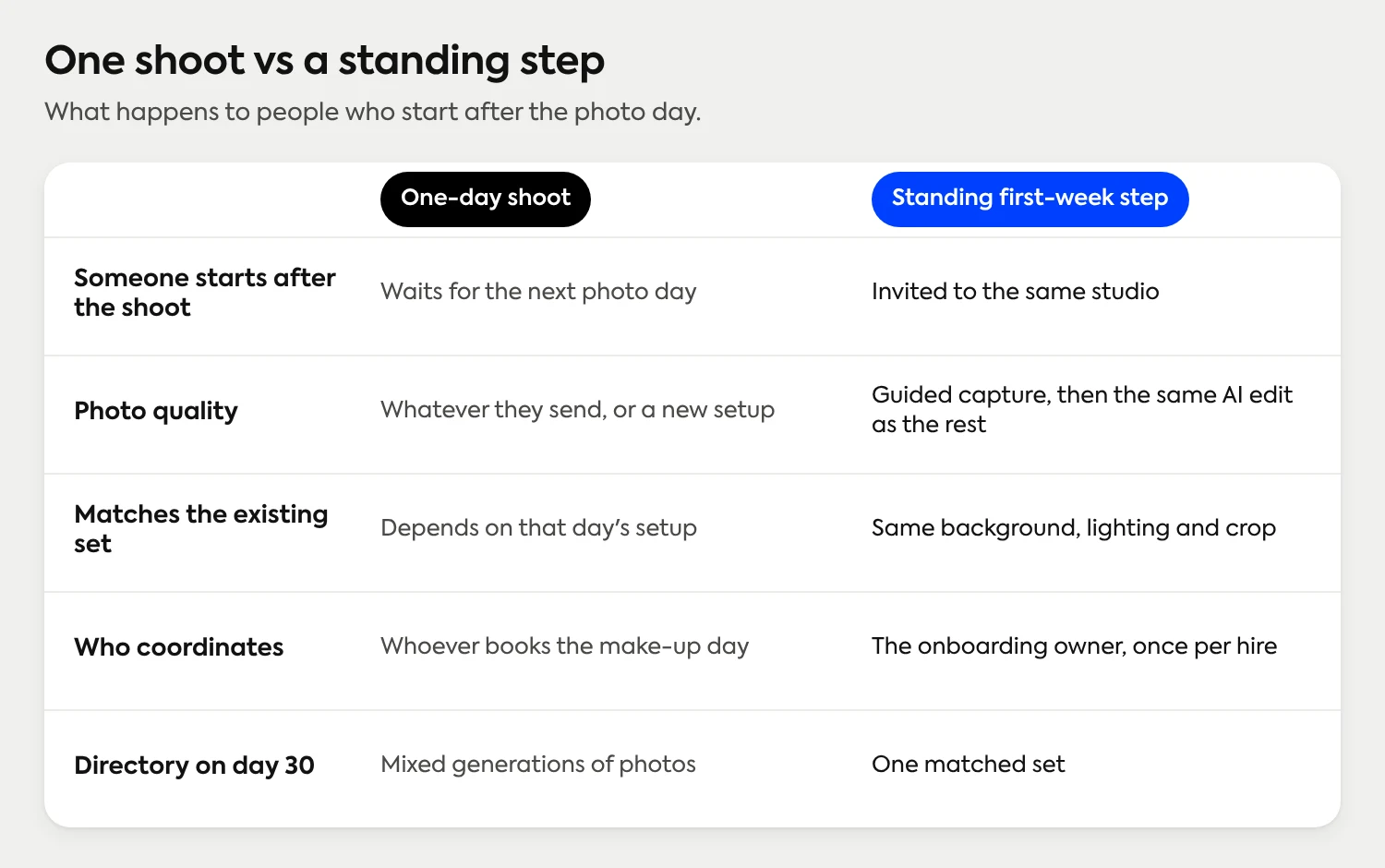
That's the new-hire problem, and it isn't really about photography. A shoot is an event. Hiring is a stream. The photo day ends and the stream keeps going, so the set slowly stops matching, one start date at a time.
Below is how to fix it for good: make the headshot a standing step in the first week, send every new hire the same link, keep one look months after the original shoot, decide who approves, and know where the photo goes next.
How do you get a headshot from every new hire?
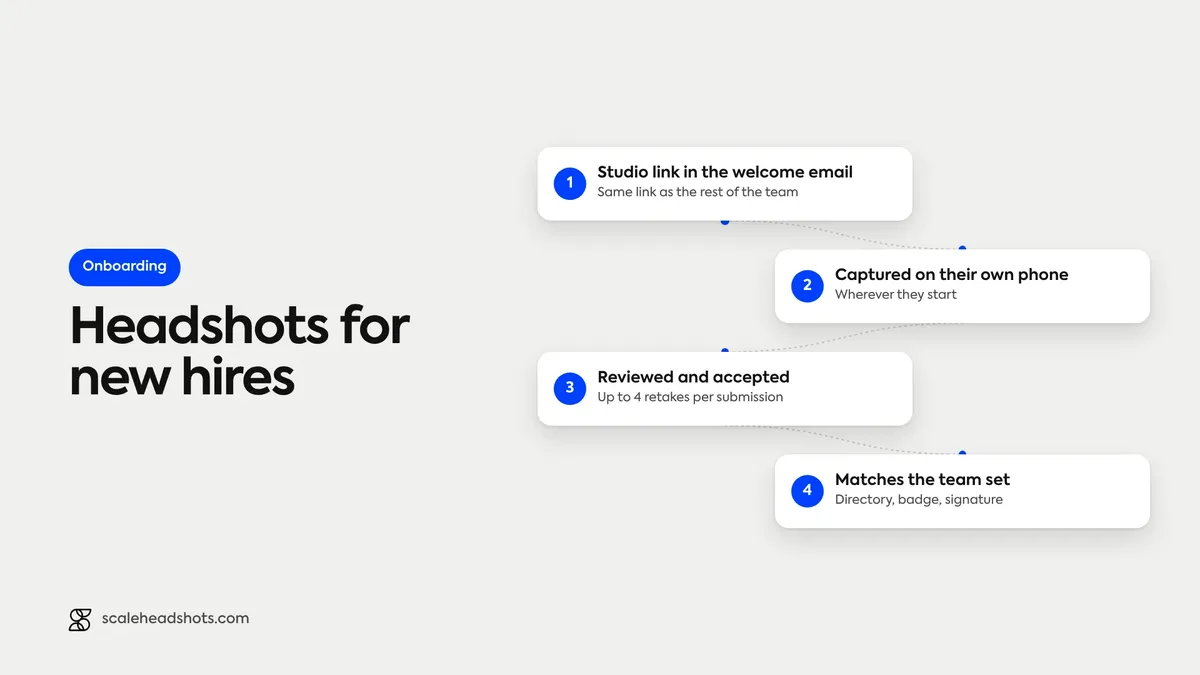
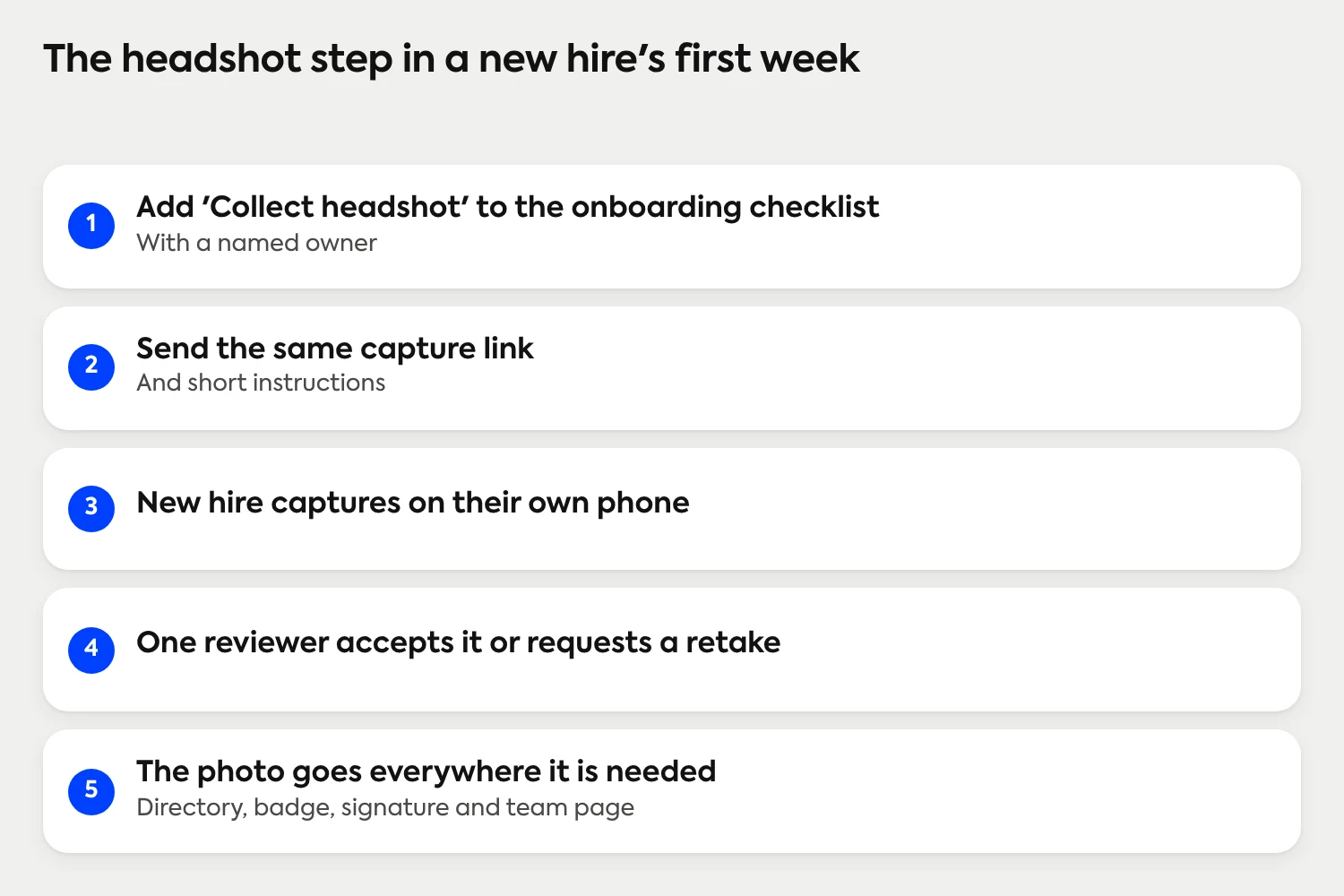
Put the headshot on the onboarding checklist as a first-week task, with an owner. Send every new hire the same capture link and the same short instructions, so the photo is taken on their own phone and gets the same look as the rest of the team. One person reviews it, accepts it or requests a retake, and the finished photo goes to the directory, badge, email signature and team page.
Why do new hires break a matched set of headshots?
A shoot fixes a date. Anyone who joins after it falls into one of three gaps:
The silhouette. Nobody collected a photo, so the directory shows a placeholder for months.
The mismatch. The new hire sends whatever they have: a casual photo, a cropped group shot, an old profile picture. It's used because it's there.
The make-up shoot. Someone books a second photo day for four people, which costs a coordinator's time and still produces a different background and lighting than the first.
On many onboarding checklists, the headshot is a single line for marketing or the manager (a new head shot, a website update, a directory entry), with no owner and no deadline, so it slides. The fix is the same as for any other first-week task: a name, a date and a clear request.
How do you add a headshot to the onboarding checklist?
Treat it like laptop setup or benefits enrollment: a task with an owner, a due date and a message that goes out on a schedule. For most companies, the best owner is whoever already runs onboarding (HR, people ops or an office manager), not the new hire's manager, who has plenty to do already.
Add the line to the checklist. "Collect headshot" sits next to "email set up" and "badge ordered," with the owner's name.
Set the timing. The first week is the sweet spot: the person is motivated, the badge and directory entry are being created anyway, and nobody has settled on a placeholder.
Send the same request every time. One invitation, one short message about what the photo is for and where it will appear.
Review it. One named person accepts it or requests a retake.
Mark it done when it's live. The task closes when the photo is in the directory and on the team page, not when the file arrives.
What do you send a new hire?
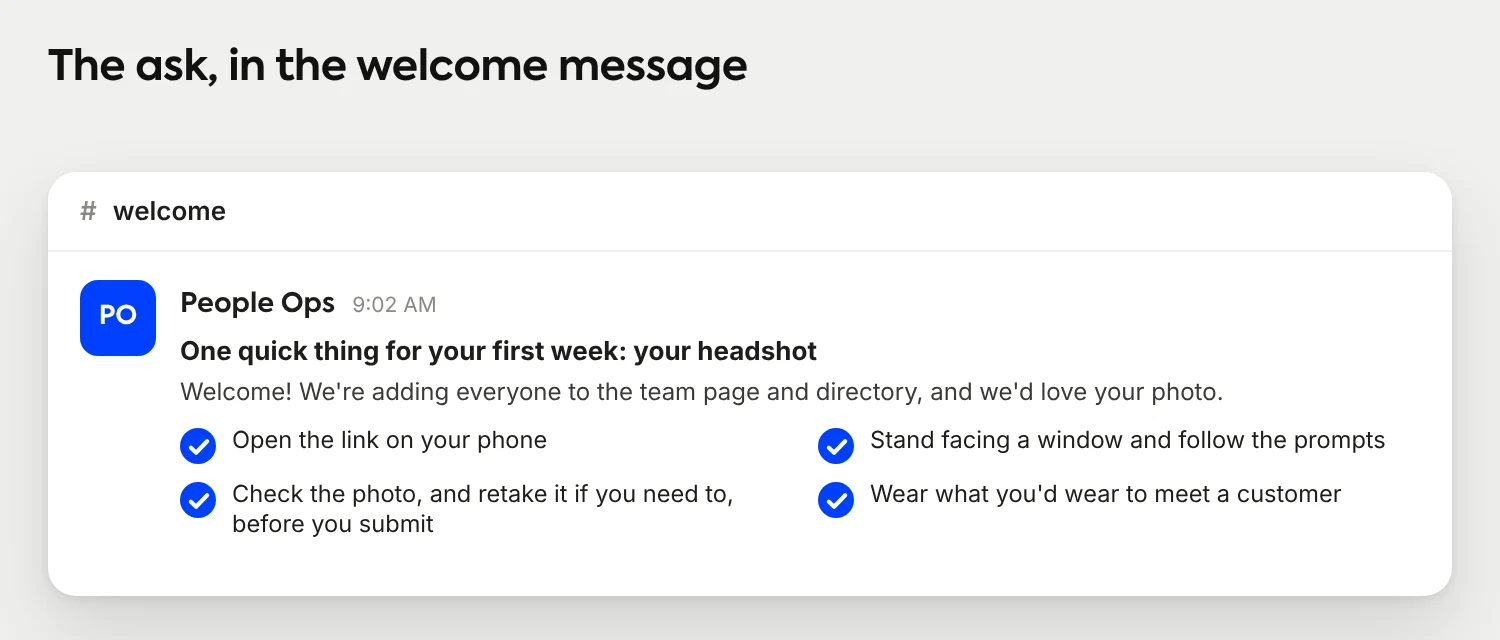
Keep it short, specific and the same for everyone. A new hire doesn't need a lecture on lighting. They need to know why you're asking, what to do and that a retake is fine. If you want paste-ready wording, our instruction messages for employees are written for exactly this, and the attire guide is an easy thing to point to for the question everybody asks.
How do you keep one look months after the original shoot?
The look isn't kept by memory. Someone who ran the March shoot can't recreate that background, lens distance and light in September, and the person who set it up may have left. The look has to live somewhere that doesn't depend on a particular day or a particular room. The variables worth writing down (background, lighting, framing and crop) are covered in our standardization guide, so we won't repeat the policy here.
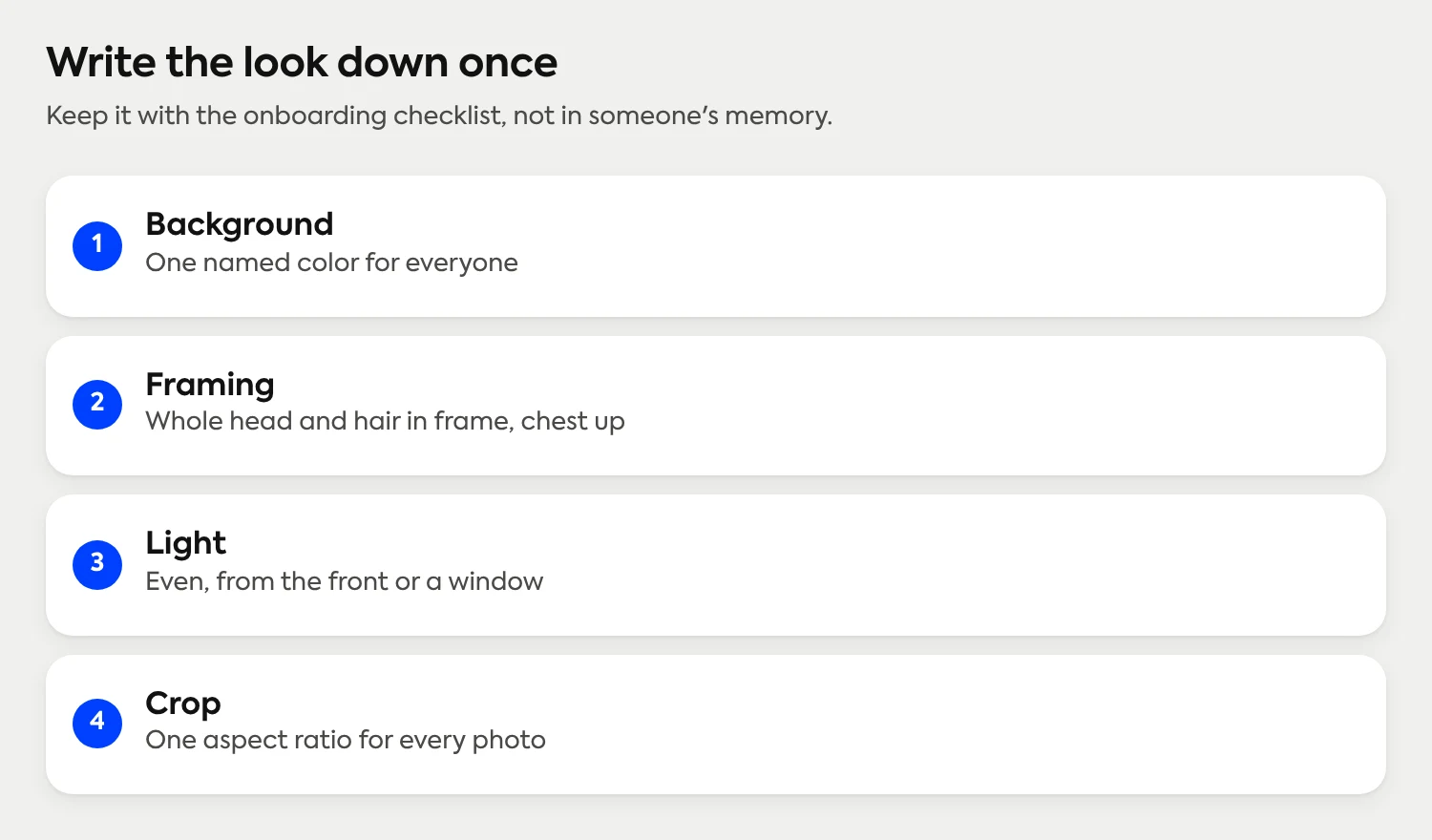
What matters for new hires is where those choices get applied. In Scale, they're applied in the studio the admin sets up, not in a room on a particular day. Each new hire is invited to that same studio and captures their own photo through a guided link on their phone, with live lighting feedback and a review-and-retake step before they submit. AI then edits the real photo (background, lighting, crop and upscaling) the same way it edited everyone else's, and the result is professionally finished automatically. Today, Scale is AI edited, not generated: the photo is the new hire, not a synthetic likeness. The Studio 2 capture experience covers the guided step in detail.
Because studio access runs on credits and retake eligibility, with no start or end dates, the studio that photographed the team in March is still there when the next person starts. The only thing that changes is the invitation. If you're still choosing the look, our guide to choosing a backdrop color lays out the options, and a finished set shows what a matched team looks like.
What about remote and hybrid new hires?
Remote hires are where a photo day fails first. A person in another city or country can't join a studio session, and flying someone in for a photo isn't going to happen. They end up with the silhouette for as long as the company has a remote hire.
A phone-based step doesn't care where the person lives. The link works the same for someone in the office on day one as for someone who starts from another time zone. That's the point of a standing process: the new hire's location stops determining the quality of their headshot.
Remote Employees Are Missing Headshot Day
Remote hires don't need a separate procedure, only the same one and a clear deadline. For the wider picture on distributed teams, see our walkthrough for remote companies. For a company with hundreds of people and a steady flow of starters, the plan for 100 or more people covers follow-ups, make-ups and the review queue.
Who should approve a new hire's headshot?
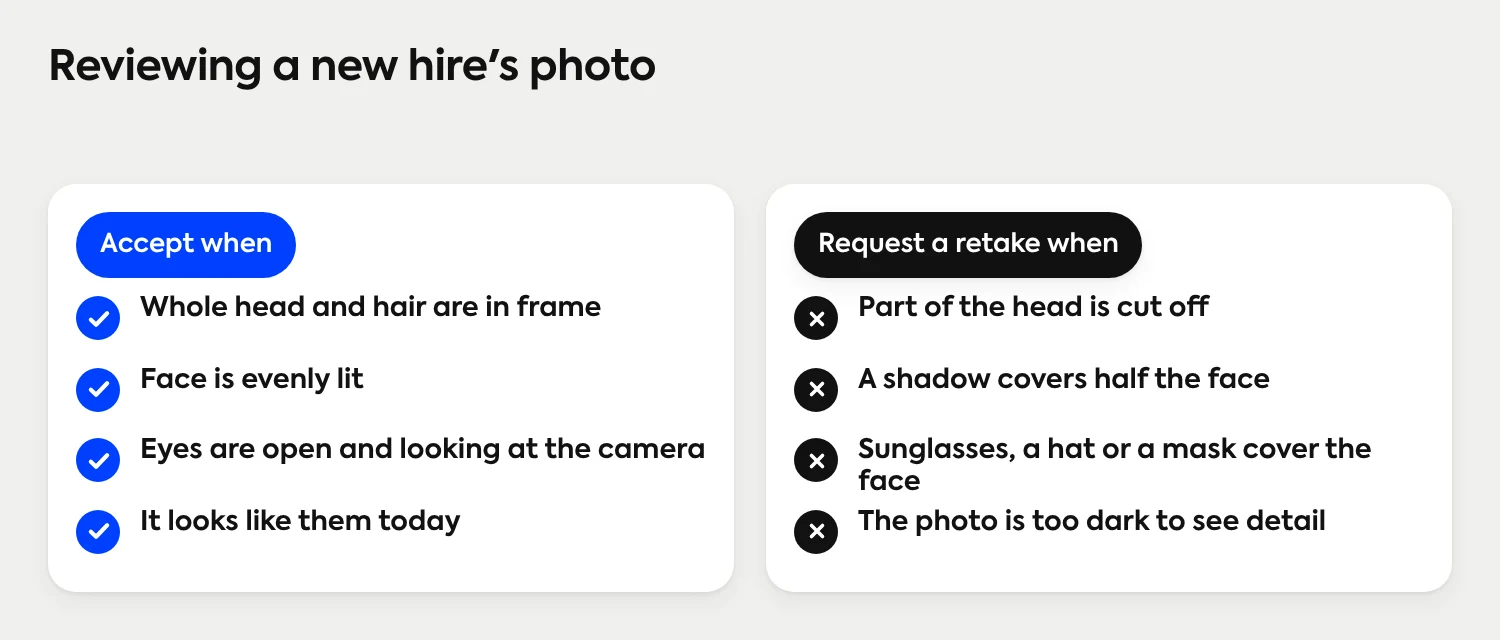
A new hire shouldn't be the last line of quality control on their own photo, and nobody wants their first impression to be a rejected one. Pick a reviewer before the first start date and keep the standard short: whole head and hair in frame, face evenly lit, nothing covering the face, and a photo that looks like the person today.
Scale offers Owner, Admin, Developer, Approver and Viewer roles, so the person who reviews doesn't have to be the person who owns the account. Whoever reviews either accepts the photo or requests a retake, up to four per submission. When you request one, tell the new hire what to change in plain words: the light, the distance or the hat. It's a nicer first interaction than silence. How the Approver role works.
Where does a new hire's photo go next?
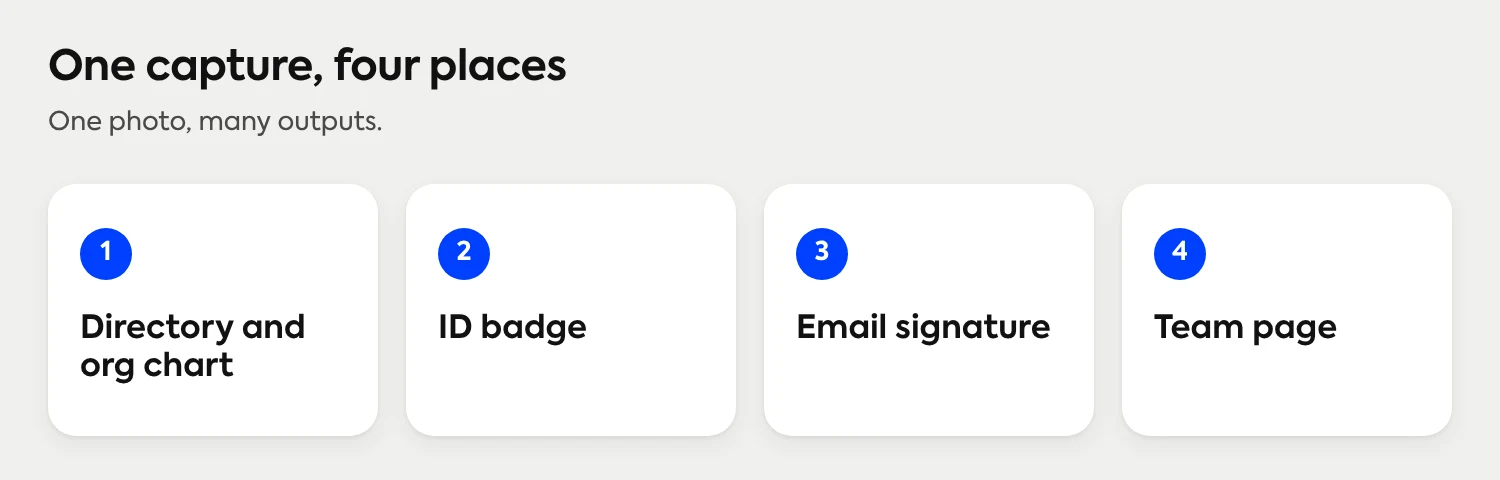
The first week is the right time because the photo has real work to do right away. One capture can feed every place the person shows up:
The directory and org chart. Names with faces make a new hire easier to find on day two.
The ID badge. Some badge and security programs want the plainest photo possible. An admin can always view the original photo, and can remove AI enhancement on a submission when a program needs it. The ID badge article explains how that works.
The email signature. A small photo makes a new hire's first emails to customers look finished.
The team page. Add the person to the page that explains who works here. The finished headshots go out in every format needed, and through the API for teams that feed other systems. Keeping the About page current as people join.
What does it cost to add a headshot to onboarding?
Pricing follows Save as You Scale: setup in Scale is free and credits start at $25 per headshot, with volume pricing that lowers the per-person cost for larger teams. You get 3 free credits on signup, enough to run your next three starters through the process before deciding anything. There are no subscriptions or contracts, and each submission includes up to four retakes before another credit is deducted. The details are on the pricing page.
Hiring all year?
Setup is free and every employee captures on their own phone, whether they started this week or years ago. See how invitations, review and delivery work for a whole company.
See how a rollout worksFrequently Asked Questions
When should a new hire get their company headshot?
In their first week. The photo is needed right away for the directory, badge and email signature, and nobody has had time to settle on a placeholder yet. Put it on the onboarding checklist with an owner and a due date so it doesn't slide.
Should a new hire take their own headshot?
Yes, if the photo is guided and reviewed. Each person takes it on their own phone through a capture link, with live lighting feedback and a retake step before they submit. An admin or approver then accepts it or requests a retake.
How do you make a new hire's headshot match the rest of the team?
Apply the same background, lighting and crop to every photo, whenever it arrives. In Scale, every submission to the same studio gets the same AI edit, so a photo taken in April matches one taken in March.
What if a new hire is remote?
Send the same link and the same instructions. The photo is taken on their phone, so location doesn't change the process or the result.
Who should approve a new hire's headshot?
One named reviewer, set before the first start date. It can be HR, people ops, an office manager or someone with the Approver role. They accept the photo or request a retake, and tell the new hire what to change.
Can a new hire's headshot be used for an ID badge?
Yes. Some badge programs ask for the plainest photo possible. An admin can always view the original photo, and can remove AI enhancement on a submission if the badge program needs it.
What does it cost to photograph new hires?
Setup is free and credits start at $25 per headshot. You get 3 free credits on signup, with no subscriptions or contracts and up to four retakes per submission.
Still have questions? Get in touch and we'll be happy to help!
Make the headshot part of every new hire's first week
Setup is free, each new hire captures on their own phone, and an admin accepts or requests a retake on every headshot. Real photos, AI edited, not generated. Credits start at $25 per headshot, with no subscriptions or contracts.