Tips
How Remote Teams Get Professional Headshots Without an In-Person Shoot
Remote and hybrid teams can't book one photographer for everyone. Here's the one-step capture process, the admin review flow, and the export options that give a distributed company one consistent headshot set.
 Ben LoBue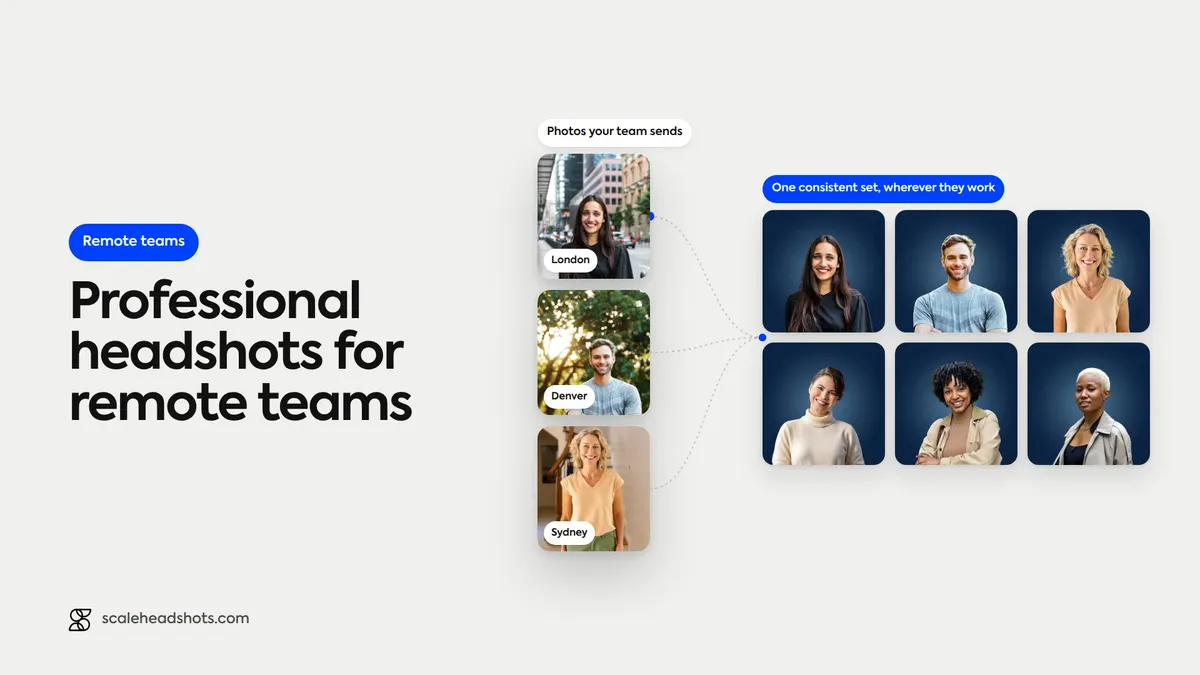
Pull up your team directory when everyone works from a different city, and the headshots tell on you. One person's photo is a professional LinkedIn portrait from three jobs ago. Another is a phone selfie cropped out of a group shot. A few tiles are just initials, because nobody ever got around to it. There's no studio day to fix this: your team doesn't share an office, let alone a conference room a photographer can set up in for an afternoon.
For whoever owns this (HR, people ops, sometimes whoever drew the short straw in marketing), a photo problem is really a coordination problem. You can't fly a photographer to fifteen cities, and you can't wait for the next all-hands to get a new hire's photo taken. This is how remote and hybrid companies actually solve it: one guided process every employee runs themselves, no studio, no travel, no scheduling.
How does a remote company get consistent employee headshots?
Every employee captures their own photo through a guided capture link on their phone, no photographer or studio needed. An admin invites the team, reviews each submission, and approves it or requests a retake. AI enhancement applies the same background, lighting, and crop to every photo, so the whole team matches even across time zones.
Why a remote team can't just book one photographer
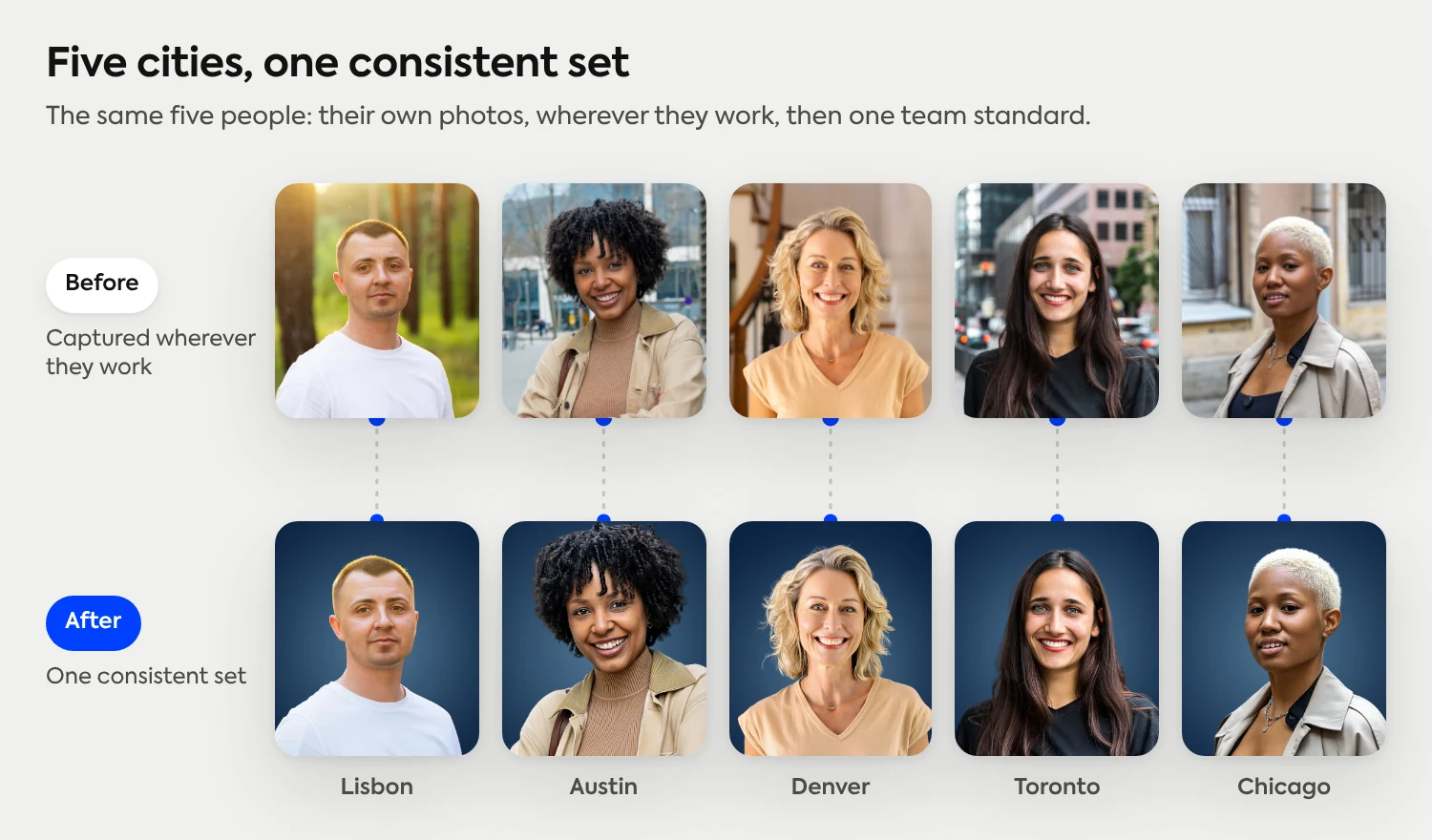
A single photographer produces a consistent set, but only for the people who can be in the room. A distributed team breaks that math immediately. Flying someone to a home office in Denver, a co-working space in Lisbon, and an apartment in Austin costs real travel money for a handful of photos each, and it still leaves out the person who starts next Monday.
Video-call sessions solve the travel problem and create a new one: lighting depends on whoever's living room they're sitting in, a laptop camera isn't built for a directory photo, and someone still has to schedule dozens of individual calls. Neither approach holds up past a dozen people, and a distributed company usually needs headshots for hundreds, on a rolling basis, forever.
How distributed companies like Intuit, Gusto, and H&R Block manage headshots
Companies operating at that scale, Intuit, Gusto, and H&R Block among them, don't solve this with more photographers. They give every employee a guided capture link and let one platform handle consistency centrally, instead of coordinating a session per office or per hire. The employee takes their own photo; the platform enforces the same background, lighting, and crop no matter where that employee happens to be sitting.
That's the model this video walks through in about a minute, from the employee's single step through to the admin's review queue:
How large remote teams get studio-quality headshots without in-person photoshoots
The one-step process for each employee
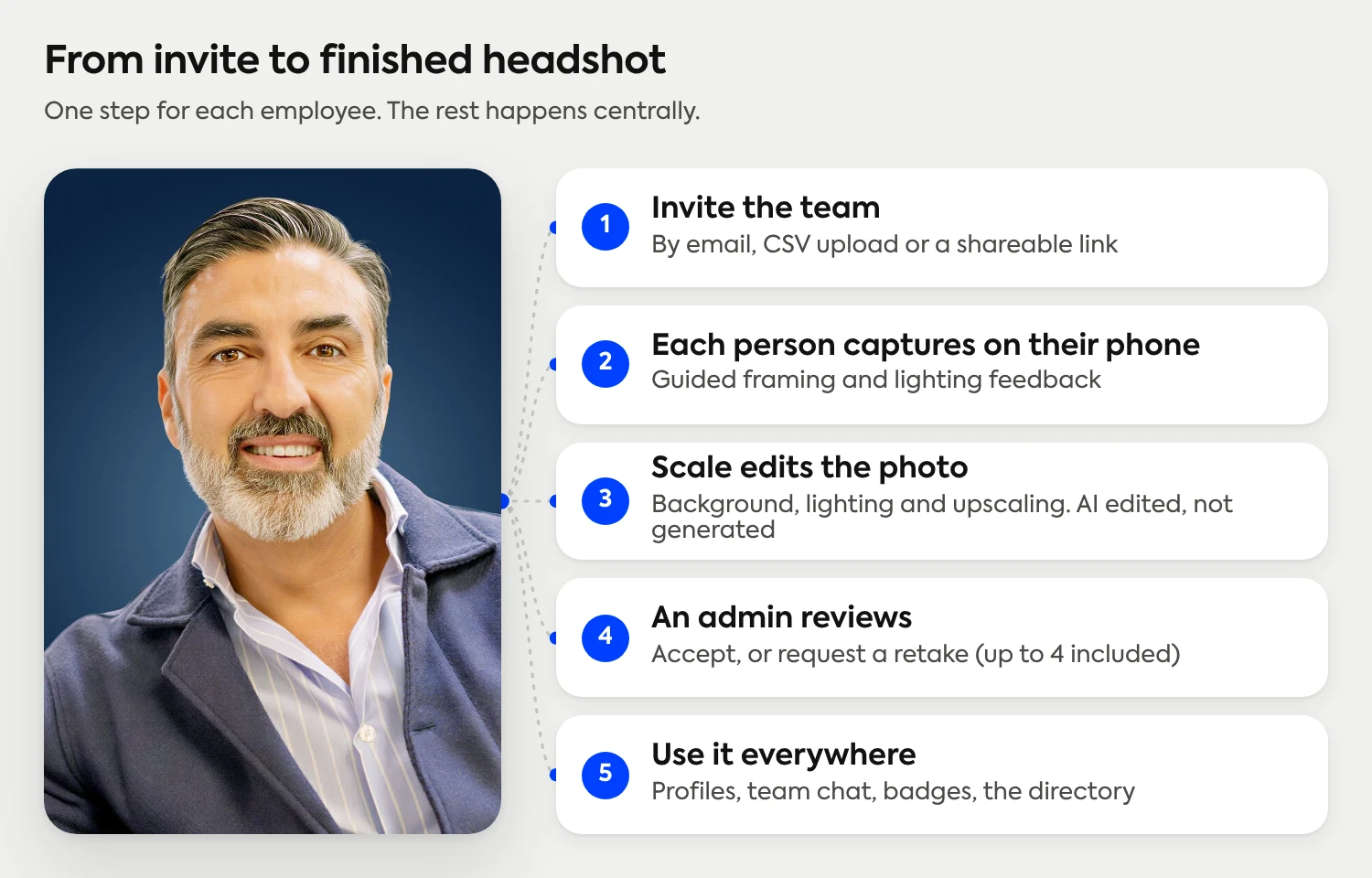
For the person getting their photo taken, the process is a single step: open a link on their phone and follow the on-screen guidance. Studio 2, Scale's capture experience, walks them through framing and lighting in real time, with feedback before they submit. It's the same iPhone setup and posing basics we cover in a separate walkthrough, minus the tripod and the friend holding the phone. There's no equipment to buy. A phone is the whole setup.
What happens after the photo: upscaling and background removal
Once the photo is captured, Scale's enhancement pipeline takes over. Background removal and replacement put everyone in front of the same backdrop, whether they shot it in a bedroom or a hallway. Lighting correction balances a photo taken in a sunlit kitchen against one taken under office fluorescents. Upscaling sharpens the image for a large screen or a printed badge.
None of this changes who the person is. It's AI edited, not generated, so the output is still a real photo of the employee, cleaned up and matched to the rest of the team, not a synthetic face standing in for them.
Admin review: approvals and retakes
Every submission lands in a review queue before it reaches the directory. An admin can accept it, or send it back with a note if the lighting's off or someone's dog wandered into frame. Up to four retakes are included on the same credit, so a rough first attempt doesn't cost the team anything extra and doesn't turn into a back-and-forth email thread. The photo only goes live once someone with the standard in mind has actually looked at it.
See what a consistent set actually looks like
Real photos of real people, processed in Scale and edited, not generated.
See real examplesExporting headshots for LinkedIn, Slack, and employee badges
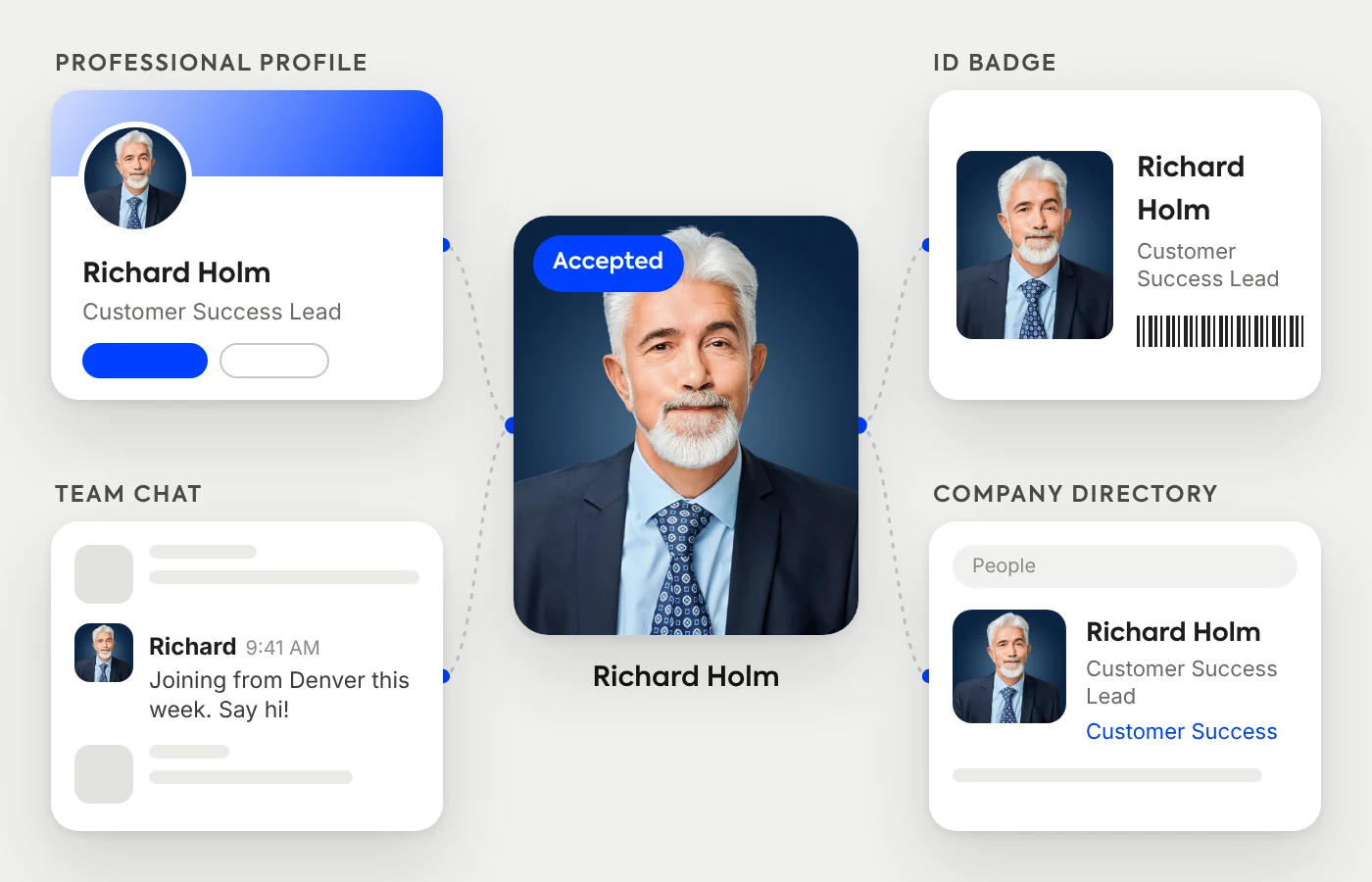
One approved photo comes back in every format the team actually uses: a LinkedIn-ready square, a Slack avatar crop, a transparent PNG for a badge template, whatever the directory calls for. That's the real advantage of running headshots through one system instead of collecting whatever each employee happens to have lying around: the output is built for where it's going, not resized after the fact. One photo in, every format out.
AI-enhanced or raw: choosing the right version for badges and IDs
Not every use case wants the enhanced version. A security badge or an ID card usually needs to match the person exactly as a guard or a scanner will see them, so AI upscaling in Scale is optional and can be turned off. Use the polished version for LinkedIn and the team directory, and the unenhanced photo wherever identity verification is the actual point.
What it costs to get headshots for a remote team
Setting up Scale for a distributed team is free. You pay per approved headshot. Credits start at $25 each, your first three are free on signup, and there's no subscription or contract to manage. Weigh that against flying a photographer to each office, or booking a video-call photographer's day rate per session, and the math tends to favor the platform even before you count the coordination time it saves.
Full pricing details, including how credits scale with team size, are on the pricing page. For the policy side of keeping a growing team's photos consistent long after the initial rollout, our standardization guide covers the six variables worth writing down.
Frequently Asked Questions
What are virtual headshots for remote teams?
They're professional headshots captured by each employee on their own device, usually a phone, instead of in front of a photographer. Guided software handles the framing and lighting cues a photographer would normally give in person, and centralized editing brings every submission to the same background, light, and crop. For a distributed company, it's the version of team headshots that doesn't require flying someone in or booking a shared space.
How do I get team headshots virtually?
Invite your team by email, CSV upload, or a shareable link. Each person opens the link, follows the guided capture on their phone, and submits a photo. An admin reviews every submission, approves it or sends back a retake request, and the finished headshots come back ready to use. No photographer, studio, or travel involved for anyone.
How much do headshots cost for a remote team?
Credits start at $25 per approved headshot, with your first three free on signup and no subscription or contract required. Volume pricing brings the per-person cost down as a team grows. Compare that to a traditional photographer's day rate and travel costs per city, and a distributed team usually comes out ahead, even before counting the time saved coordinating.
How is this different from an AI headshot generator?
An AI headshot generator creates a new, synthetic image from training photos. Scale starts with a real photo the employee captures, then uses AI only to edit it: background, lighting, and upscaling. It's a different category built for a different job. Generators are built for individuals creating a portrait; Scale is built for companies that need a consistent set of real employee photos.
Can I get raw, unedited photos for ID badges?
Yes. AI upscaling is optional in Scale, so admins can turn it off and deliver the unenhanced capture. That is the better choice for security badges or ID cards, where the photo needs to match the person exactly as a scanner or a guard will see them.
What happens if an employee's first photo doesn't work?
It goes back to them as a retake request, not a rejection. Up to four retakes are included on the same credit, so getting the lighting or framing right doesn't cost the team anything extra or turn into a back-and-forth email thread.
How long does it take to get headshots for a distributed team?
There's no studio day to schedule, so the timeline mostly comes down to how fast your team completes the capture link. Most employees finish in a few minutes once they open it, and new hires can be added to the same flow anytime, without waiting for the next company-wide photo day.
Still have questions? Get in touch and we'll be happy to help!
One consistent headshot set, wherever your team works
Scale gives every remote employee the same guided capture on their phone and returns one consistent set: same background, same light, same crop, reviewed before it reaches your directory. Real photos, AI edited, not generated. Credits start at $25 and never expire, and you can try it with three free credits.