Tips
Headshot Editing vs Retouching: What Each One Changes, and Which One Your Headshot Needs
Editing fixes the photo. Retouching changes how the person looks. Here's what each one does, when you'd want it, how to brief an editor and how to edit a headshot yourself.
 Michael Hall
Two people send the same note to the same editor: "Can you clean this up?" One means the light is muddy and the background is distracting. The other means the skin, the jawline and a scar that's been there for years. Same four words, two very different jobs.
That's the "clean it up" problem, and it's why headshot editing and headshot retouching get tangled. Plenty of articles use the words interchangeably, and plenty of editors quote one price for both. The difference matters most to the person in the photo, because one of them leaves them looking like themselves on a good day and the other can leave a colleague saying, "that doesn't look like you."
This guide separates the two. It covers what a good edit changes, what retouching changes, when each one is appropriate, how to brief an editor so you get what you meant, and how to edit a headshot yourself with the tools already on your phone or computer. It also explains why Scale edits the photo and never the person.
What is the difference between editing and retouching a headshot?
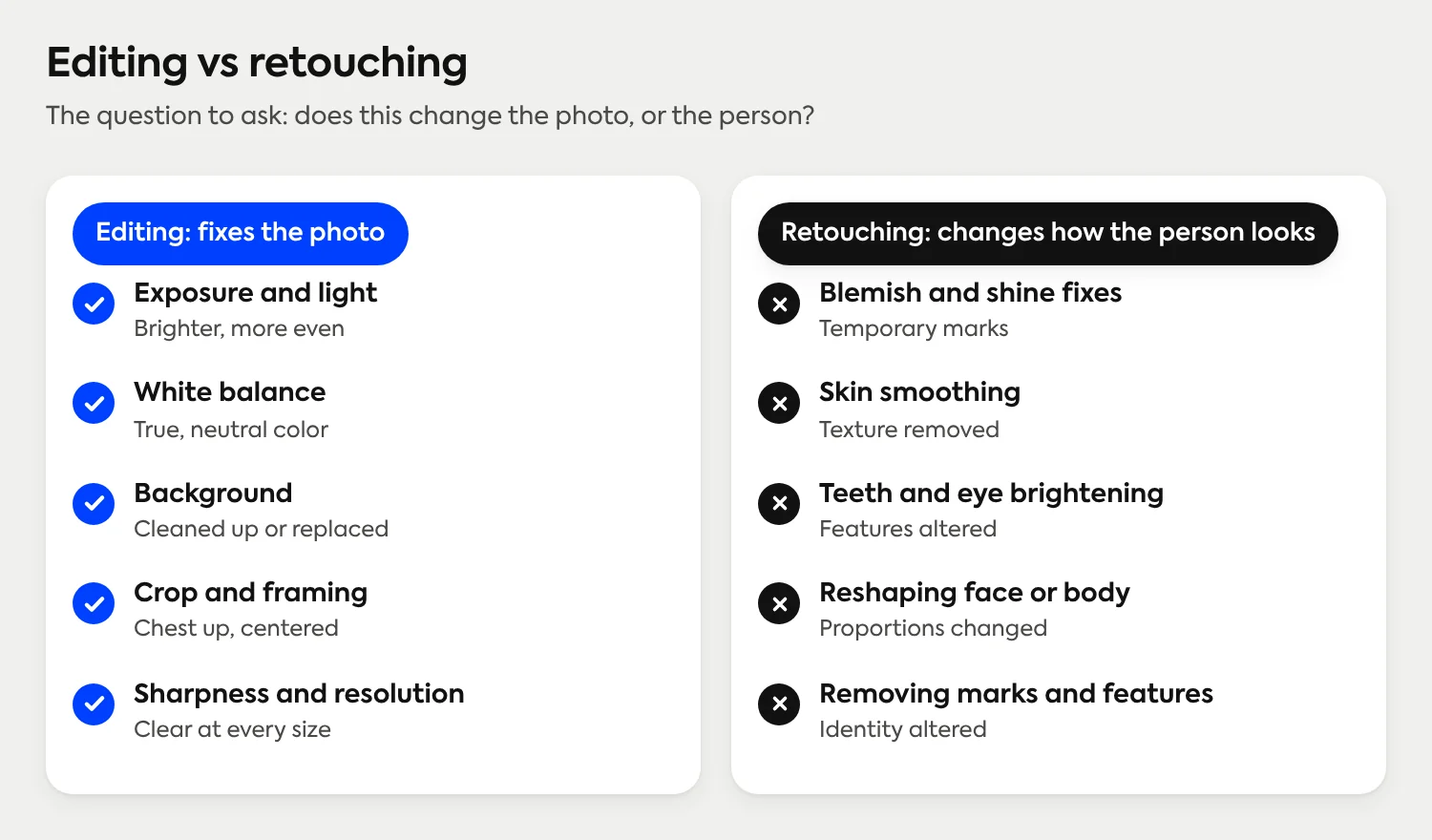
Headshot editing fixes the photo: light, white balance, background, crop, sharpness and resolution. Retouching changes how the person looks: smoothing skin, reshaping features, removing marks or stray hairs. Editing is the baseline for any professional headshot. Retouching is a separate, optional choice that works best when the person in the photo decides it on purpose, in writing, before the work starts.
What does editing a headshot actually change?
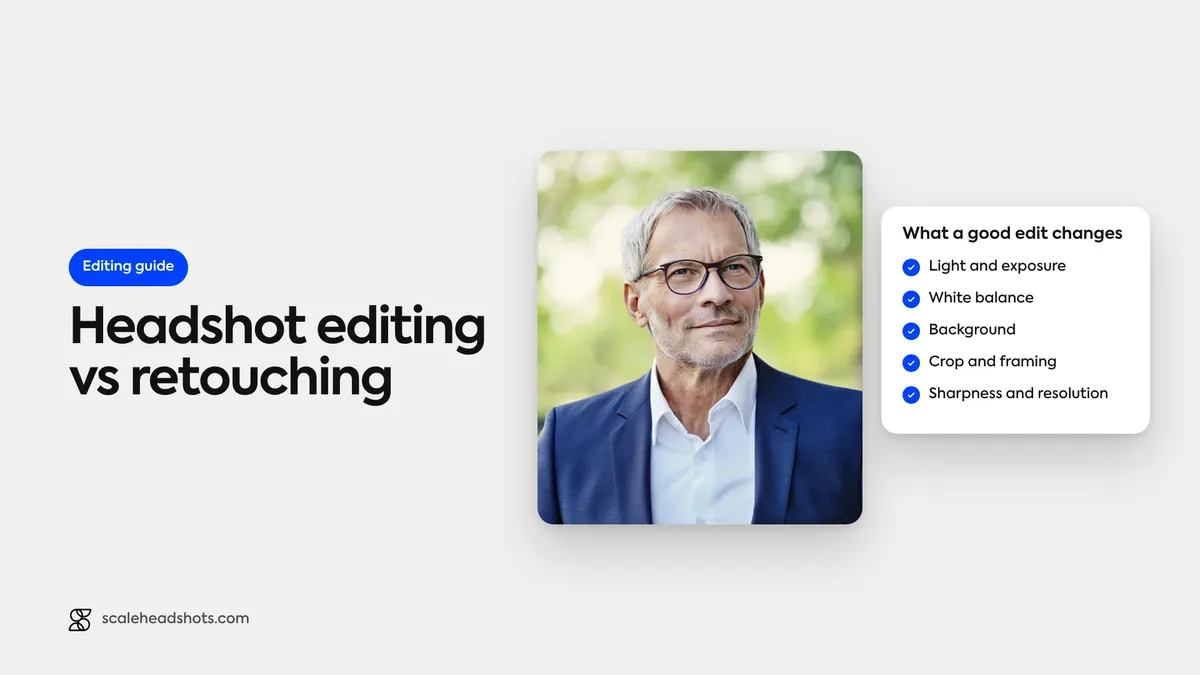
Editing works on the photograph. Nothing about the person's face or body is different afterward; the picture is simply a better record of them. Six adjustments cover nearly everything a good headshot edit does.
Light. Lifting a dark exposure, opening shadows under the eyes and chin, and calming a shiny highlight on the forehead. The goal is a face that's evenly lit and clearly the brightest thing in the frame.
White balance. Correcting a color cast so skin looks like skin and a white shirt looks white. Window light can lean blue, indoor bulbs lean orange, and a mixed room leans both.
Background. Keeping a clean wall as it is, softening a busy one, or replacing it with a plain one. For a team, this is the edit that does the most for consistency.
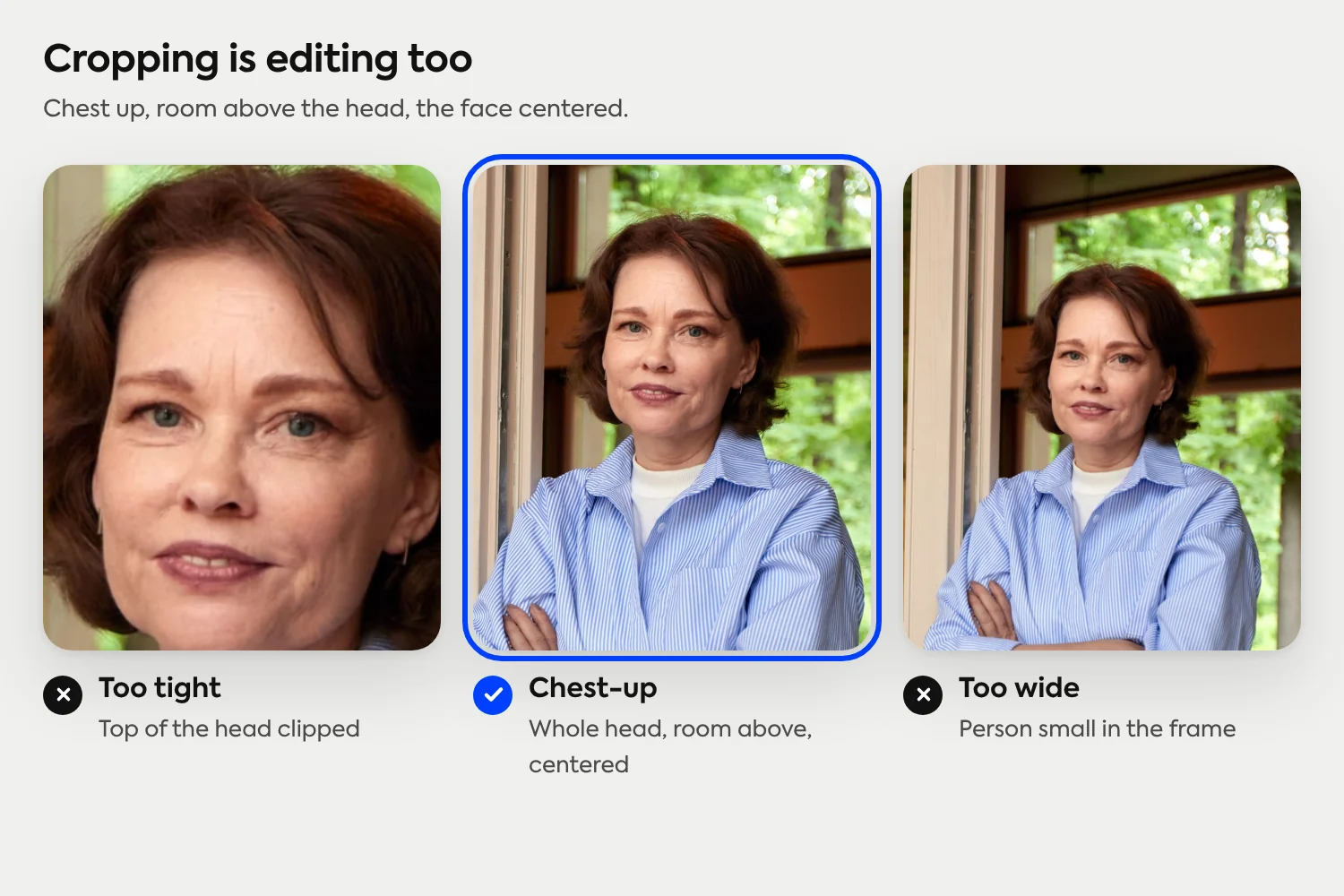
Crop and framing. Chest-up, face centered, a little room above the head, the horizon straight. A crop is also where "the same size on every tile" gets decided.
Sharpness. A light pass that brings back the detail a phone loses, concentrated on the eyes rather than the whole image.
Resolution. Delivering the file at a size that holds up on a team page, a badge and a print without going soft.
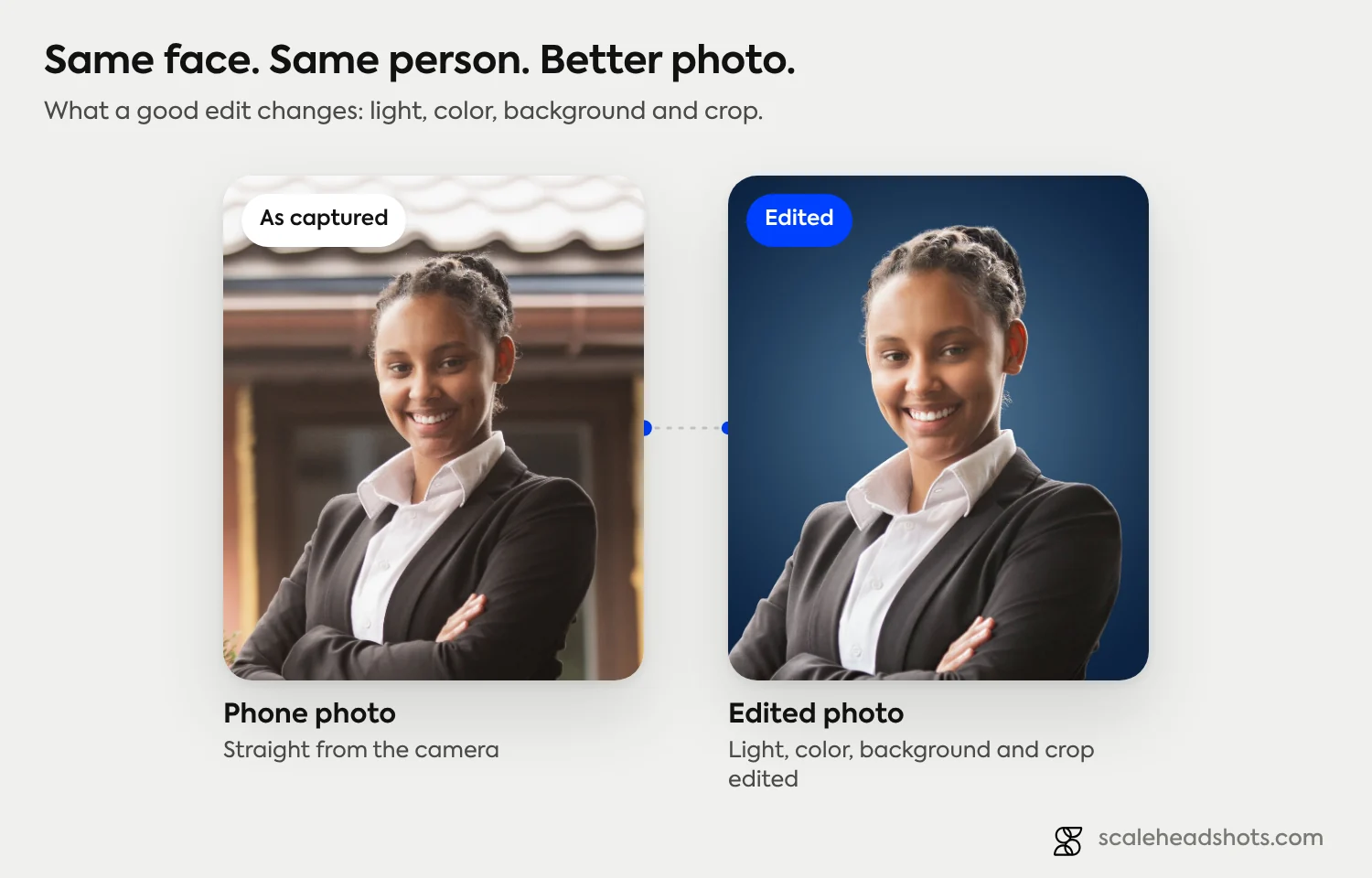
The test for a good edit is easy to run. Put the original and the edited version side by side and look at the face. The skin texture, the lines around the eyes and the shape of the jaw should match. Everything around the face should look better. If you can only tell the two apart by looking at the person, the edit has crossed into retouching.
What is headshot retouching, and how is it different?
Retouching works on the person. It's a craft with a long history in portrait photography, and done with a light hand it's routine. It's also a different decision from editing, because it alters appearance rather than the photograph.
Common retouching tasks sit on a rough scale:
Light retouching. Spot-fixing a blemish that won't be there next week, tidying stray hairs, reducing redness or shine on skin.
Medium retouching. Evening out skin texture, softening under-eye shadows, brightening the whites of the eyes or the teeth.
Heavy retouching. Smoothing skin to a uniform finish, reshaping the jaw or nose, slimming, or removing permanent features such as moles and scars.
Many photographers and retouchers describe their work in tiers like these, and what a session price includes varies enough that it's worth asking, which we cover in the briefing section below. For the cost side of that conversation, our comparison of photographers and a platform goes through the questions to ask before you book.
When is each one appropriate?
Editing is the default. Every professional headshot gets some, because phones and cameras don't produce a finished image on their own. The question is rarely whether to edit. It's how far to take it, and whether to go on to retouching at all.
Retouching has real, legitimate uses, and it isn't a vice. A performer's portfolio, an editorial shoot, a campaign image and a personal brand portrait are all places where a person and a retoucher can decide together on a polished, stylized finish. What makes it work in those cases is that someone chose it, knew what they were choosing, and approved the result.
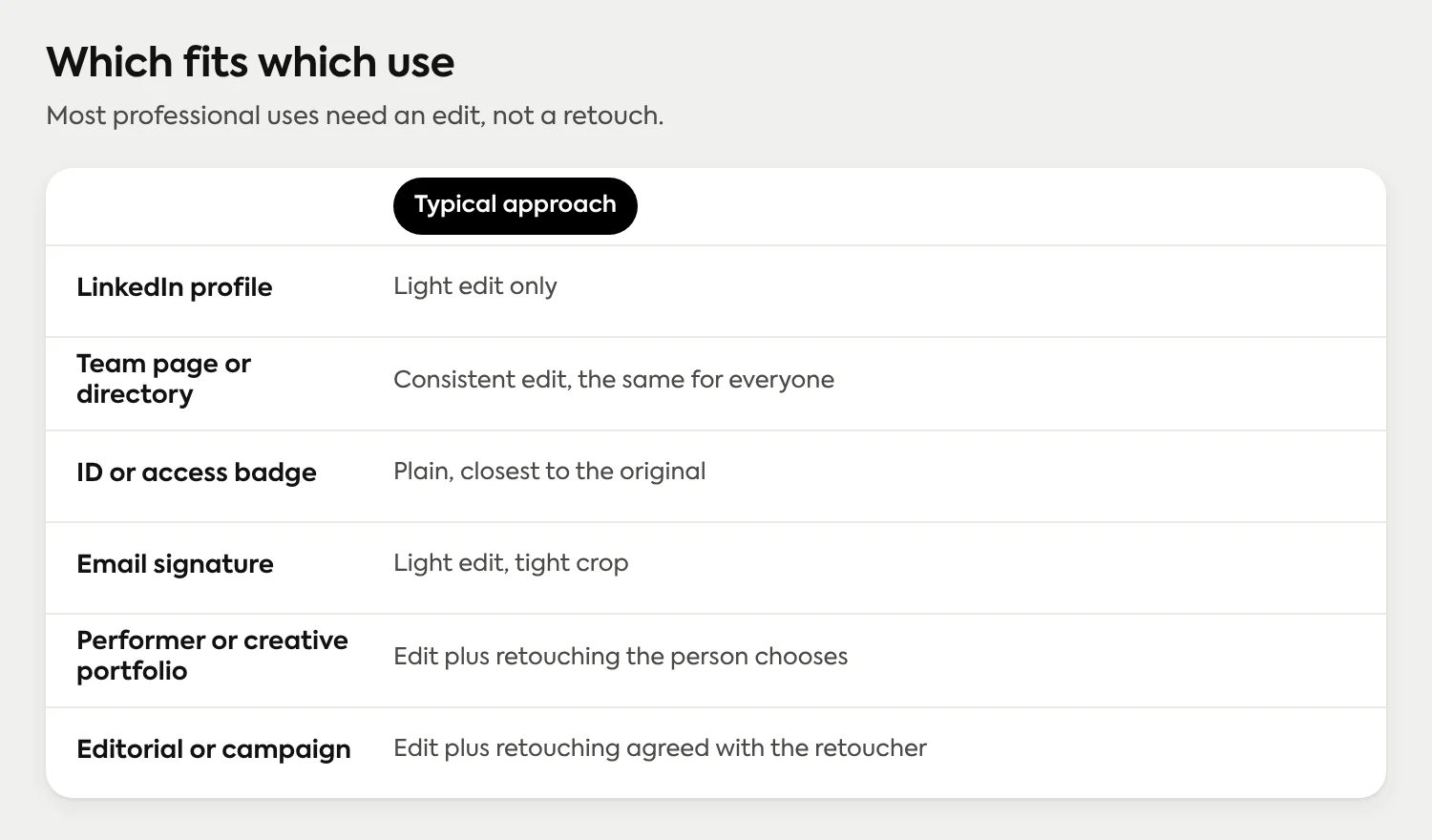
For a working headshot, the kind that goes on a LinkedIn profile, a team page, a badge or an email signature, the bar is different. People who meet you after seeing the photo should recognize you straight away. Some security teams want the plainest photo possible; per-photo options for badge photos are covered here. A few guidelines hold up across most situations:
Fix what's temporary, leave what's permanent. A blemish, a flyaway hair or a shiny forehead is a moment. A scar, a mole, lines or gray hair are part of the face. Anything permanent should only be changed if the person asks.
Match the use. A badge or a directory photo is meant to be recognized at a glance. A creative portfolio can go further.
Keep it consistent across a set. Heavy retouching on some faces and none on others shows up quickly on a team page. The more people in the set, the more reason to keep person-level changes to a minimum.
Let the person decide. Nobody should discover a retouched face for the first time on a published page.
If you're putting together a look and want to think about the pieces that sit outside the edit, such as clothing and makeup, our notes on how makeup photographs under headshot lighting and what to wear cover the choices that make an edit easier. Good light and a clean background at the moment of capture mean less to fix later.
How do you brief a headshot editor?
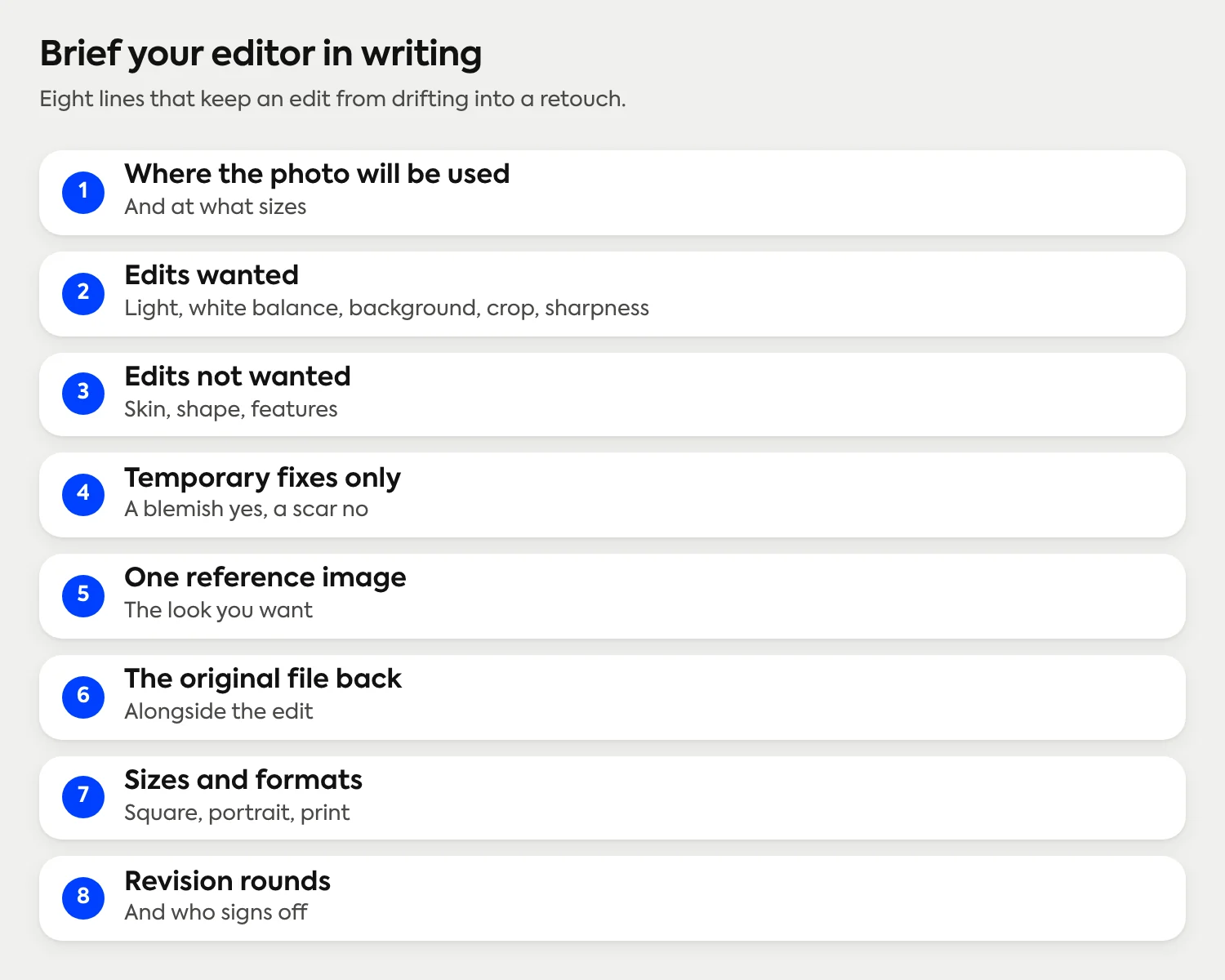
Most disappointing edits trace back to a brief that said "make it look good." An editor can't know whether that means light or skin, so they have to guess. A short written brief fixes that. It also protects the editor, who now knows exactly what was asked for.
Cover these points before any work begins:
Where the photo will be used. A LinkedIn square, a badge, a team page and a printed bio each want slightly different crops and sizes.
What's in scope. Name the edits you want: light, white balance, background, crop, sharpness.
What's out of scope. Say plainly that you don't want skin smoothing, reshaping, teeth or eye changes, or the removal of permanent features, unless you list them.
Temporary versus permanent. Tell them the blemish can go and the scar stays, or the other way around. Don't leave it to guesswork.
A reference. One example of a finish you like is worth a paragraph of adjectives.
Originals, kept. Ask for the untouched file back alongside the edited one.
Deliverables. Sizes, file formats, a square and a vertical crop, file names.
Revisions and sign-off. How many rounds are included, and who signs off. It should be the person in the photo.
How can you edit a headshot yourself?
For one headshot, you probably don't need anyone else. The editor built into your phone's photo app handles crop, light, color and sharpness. On a computer, any photo editor with levels or curves, a crop tool and a basic sharpen does the same job with more precision. The order matters more than the tool, and the crop deserves attention first, because it changes the picture more than any slider does. One phone photo can look rushed, correct or distant depending only on where the frame sits.
Duplicate the original first. Work on a copy so the untouched file is always there to compare against.
Crop and straighten. Chest-up, face centered, a little room above the head, eyes about a third of the way down from the top. Rotate until the background lines are level. Crop before anything else, since every other adjustment depends on what's left in the frame.
Fix the exposure. If the photo is dark, lift it until the face reads clearly. Check the brightest parts of the forehead and nose so they don't clip to flat white.
Set white balance. Nudge the temperature until a white collar or the whites of the eyes look neutral, not blue or orange.
Open the shadows, gently. A small lift under the eyes and chin helps. A large one flattens the face.
Handle the background last. A plain wall can stay. For a busy one, use a blur or background-removal tool and zoom in on hair edges for a halo or a cut-out look. If the edge looks wrong at full size, leave the background alone and re-shoot against a wall.
Sharpen lightly. A small amount on the eyes brings back the detail. Sharpening the whole image makes skin look rough.
Export at the largest size you have. Enlarging a small file with an ordinary resize adds pixels, not detail. If you need a square and a vertical version, export both from the same edit.
Edits that go wrong tend to go wrong in the same ways: a saturation slider pushed too far, skin smoothed to a plastic finish, eyes sharpened until they look glassy, or a background replaced with a cut-out edge. Light edits survive scrutiny. For the capture side of the job, our guides to taking your own photo with a phone and a window and using the iPhone camera well show how to start with a photo that needs less work. If the background is the problem, what holds up behind a face is the place to start.
Where do AI photo tools fit in?
AI tools now sit on both sides of this line, so the distinction is worth stating plainly.
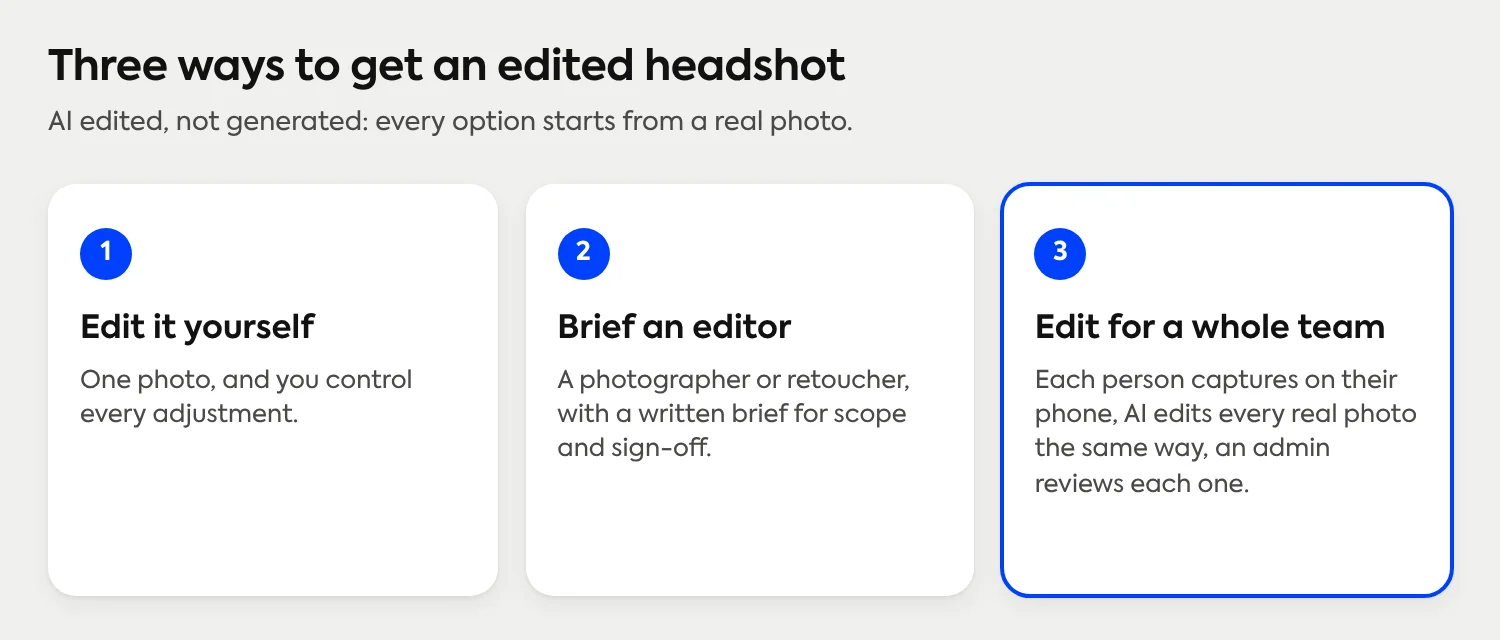
Some AI tools edit the photo you took: adjusting light, replacing a background, framing and upscaling. Others generate a new image from selfies you upload, which produces a synthetic likeness rather than a photograph. Both are valid products for different needs. The editing-versus-retouching question applies most directly to the first kind, because there's a real photo with a real face to leave alone. With a generator, the face in the result is produced rather than photographed, so there's no original face to protect or alter.
The same test works for both: does the finished image still look like the person on an ordinary day?
Why does Scale edit the photo and never the person?
For one person, retouching is a personal choice. For a team, it becomes a policy question: who decides how much, for each of 200 faces, and who checks? Edits to the photo can be set once and applied the same way to everyone. Edits to a person can't, and they shouldn't be made on someone's behalf. For 100 or more people, see how to plan a large-team rollout.
So Scale draws the line where this article does. Scale is AI edited, not generated. Each employee captures their own photo on their phone through a guided link, and Studio 2 gives live guidance and lighting feedback and lets them review and retake before they submit. AI then edits that real photo: the background, the lighting, the framing and the resolution. Scale doesn't smooth skin, reshape faces or remove features. The headshot is professionally finished automatically, and the person in it is the person who took it. The original photo stays viewable, so an admin can always compare. An admin approves each headshot or requests a retake, with up to four retakes per submission. If you're sending instructions to a team, a paste-ready message and checklist is here.
That makes consistency the practical benefit. When the background, light and framing are applied the same way to every photo, a team page reads as one set and nobody's face has been treated differently. Browse finished examples or compare unedited and finished photos side by side to see what changes and what doesn't. If you're the person organizing it for a company, read about setting up a studio for your whole team.
Setup is free. Pricing follows Save as You Scale: credits start at $25 per headshot, volume pricing lowers the per-person cost for larger teams, and you get 3 free credits on signup, with no subscriptions or contracts. For the look itself, picking one contemporary style for a team is a good next read.
Frequently Asked Questions
What is the difference between photo editing and retouching?
Editing adjusts the photograph: exposure, white balance, color, crop, background, sharpness and size. Retouching changes how the person looks, for example by smoothing skin, removing blemishes or features, or reshaping the face. A quick test: editing fixes the photo, retouching changes the face.
What edits are normal for a professional headshot?
A professional headshot normally gets a crop, an exposure and white balance correction, a gentle lift to the shadows, a light sharpen and a clean or consistent background. These adjust the photo, not the person, and they're what makes a phone picture look finished.
How do I edit a headshot on my phone?
Duplicate the original, then use the built-in photo editor to crop chest-up with room above the head, straighten it, fix the exposure and white balance, open the shadows slightly and sharpen the eyes. Export at the largest size and leave skin alone.
How much retouching is too much?
It's too much when someone who knows you wouldn't recognize you, or when you'd be surprised to meet the person in the photo. Fixing a temporary blemish is common. Smoothing all texture, reshaping features or removing permanent marks is where headshots start to look unlike the person.
Can I change the background of a headshot after it's taken?
Yes. A background-removal or replacement tool can swap it for a plain color or a soft blur. Zoom in on the hair edges to check for a halo or cut-out outline, and if it doesn't hold up at full size, reshoot against a plain wall.
Is an edited headshot the same as an AI-generated headshot?
No. An edited headshot starts with a real photo of you and adjusts things like light, background and framing. A generated headshot is a new image built from photos you upload. Scale is AI edited, not generated.
Does Scale change how my face looks?
No. Scale edits the photo, not the person: the background, lighting, framing and resolution change, and your face stays as you captured it. Scale doesn't smooth skin, reshape faces or remove features, and the original photo stays viewable in the Dashboard.
Still have questions? Get in touch and we'll be happy to help!
Edit the photo, keep the person
Each employee captures their own photo on a phone, Scale's AI edits the real photo so the background, lighting and framing match across the team, and an admin approves each one. AI edited, not generated. Free to set up, with credits from $25 per headshot.