Product Update
Headshot Approvals Without Sharing Admin Access: Approver and Viewer Roles in Scale
Scale accounts have five team roles: Owner, Admin, Developer, Approver and Viewer. The Approver role lets office managers and team leads review headshots without access to billing or team settings.
 Ben LoBue
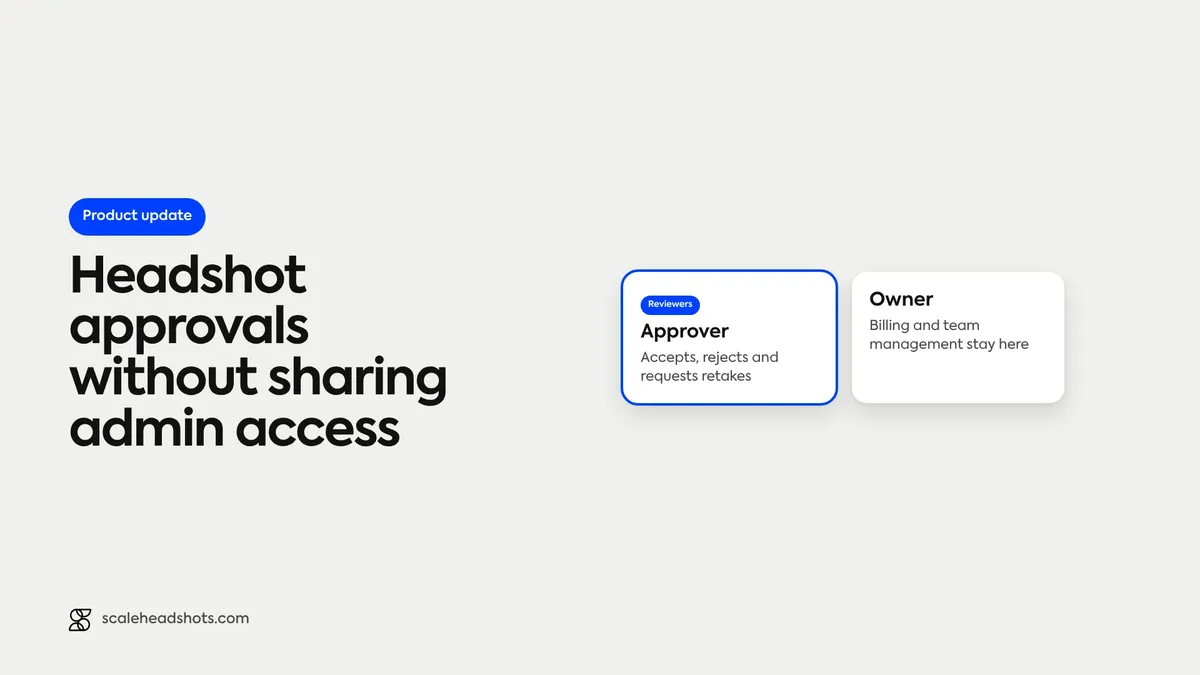
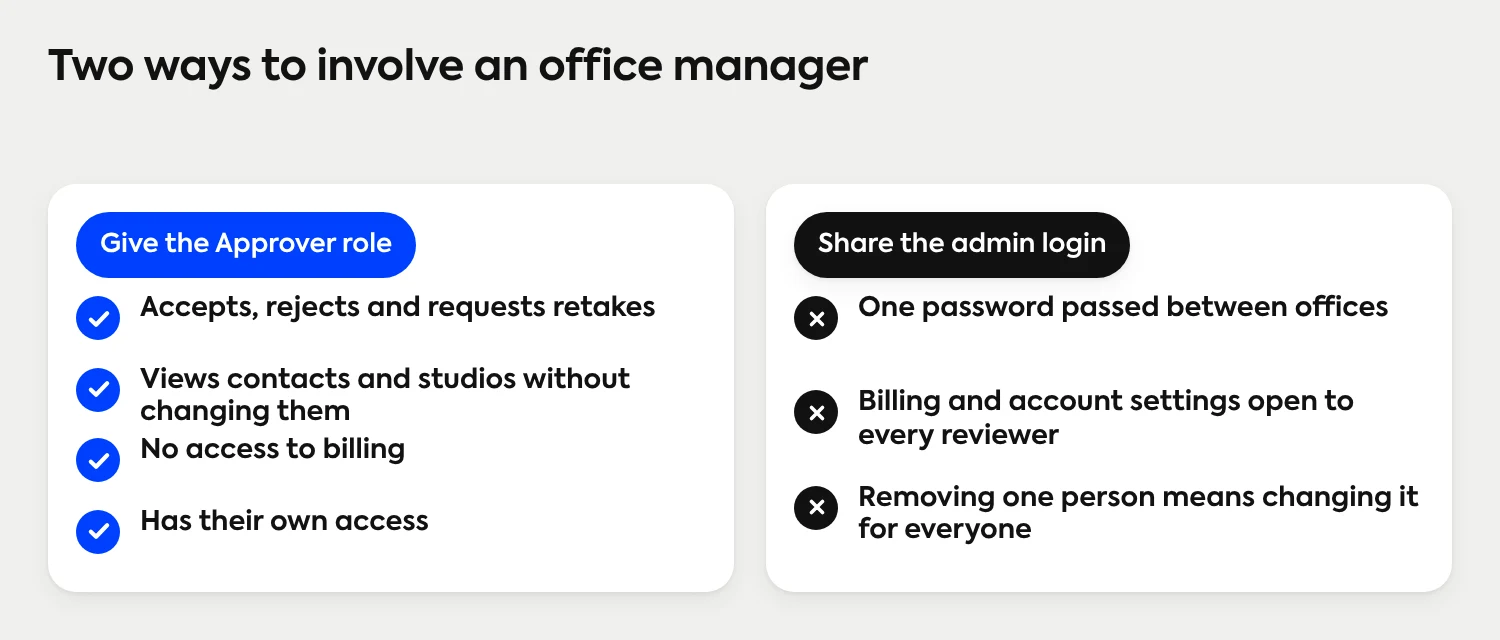
Every company headshot has to be checked before it is final. At a company with several offices, the people best placed to check are rarely the people who run the program. An office manager knows who has joined. A team lead can tell whether a photo looks like the person. One way to bring them in is to share an admin login, which hands over billing and account settings along with the photos.
Scale's team roles separate the two jobs. An account has five roles: Owner, Admin, Developer, Approver and Viewer. The Approver role is for the person who reviews headshots and does not run the program: an Approver can accept, reject and request retakes, without access to billing or team management. The sections below set out what each role does, how an approval moves through the Dashboard and how to decide who gets which role.
Can someone approve headshots in Scale without being an admin?
Yes. The Approver role is for people who review headshots but do not run the program. An Approver can accept or reject submissions and request retakes, and can view contacts and studios without changing them. Billing and team management are not part of the role. The other roles are Owner, Admin, Developer and Viewer, and Owners invite teammates and set their roles.
What are Scale's five team roles?
Each role matches a job in a headshot program, from full control of the account to read-only access.
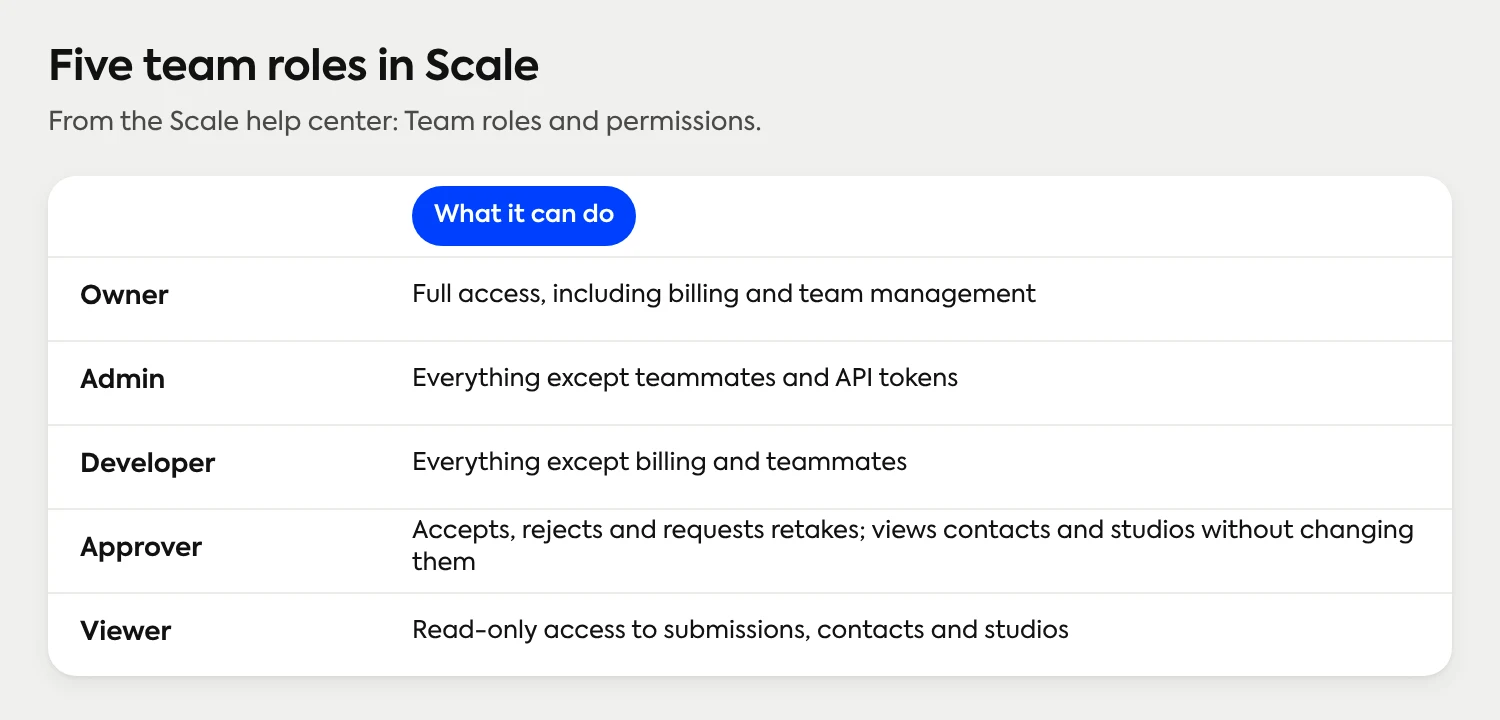
The Owner has full access, including billing and team management, so Owners are the ones who invite teammates and change roles. An Admin can do everything except manage teammates and API tokens, which suits a co-lead who runs studios day to day. A Developer can do everything except billing and teammates, which fits whoever connects the API or webhooks; the developer documentation covers that side. An Approver handles the review step by itself. A Viewer has read-only access to submissions, contacts and studios, for the person who needs to follow progress and change nothing.
Why separate approving from administering?
Approval is the step that benefits from more people. Administration benefits from fewer. A multi-office headshot program usually has a small group that sets the standard, often HR or people ops, and a larger group that can tell whether a photo meets it. Roles let the second group do their part without joining the first.
Billing stays with the people accountable for it. An Approver has no access to billing or account settings.
Team membership stays controlled. Inviting teammates and changing roles is part of the Owner role, so changes to who has access stay with the program's owners.
Each reviewer has their own access. When an office manager changes jobs, an Owner changes one person's role instead of retiring a password shared across offices.
How does an approval move through the Dashboard?
The path is the same for every office. Reviewers join it at step 4.
The admin sets up the studio once. It is branded, and it carries the background and style every photo will use.
Each employee captures on their own phone. The invitation opens a guided link, and Studio 2 gives live guidance while the person takes the photo.
The headshot lands in the Dashboard as Review. Scale has edited the real photo to the studio's look: AI edited, not generated.
A reviewer checks it against the standard. An Admin or an Approver moves it to Accepted or Rejected, or requests a retake.
Accepted headshots go out in every format the studio is set up for, and they can be exported, including through the API.
A retake request is a request for a better photo, not a new purchase. Each submission includes up to four retakes before another credit is deducted.
Why Headshot Days Are Doomed
Agree before the invitations go out which reviewer looks after which office's photos, and tell each reviewer. That division is a decision for the program, set by the people who run it.
What should a reviewer check before accepting a headshot?
A reviewer needs a written standard, not a feeling. The same few points apply to every photo, in every office, and they keep retakes to the photos that need them. When a retake is requested, tell the person what to change: the light, the distance or a hat.
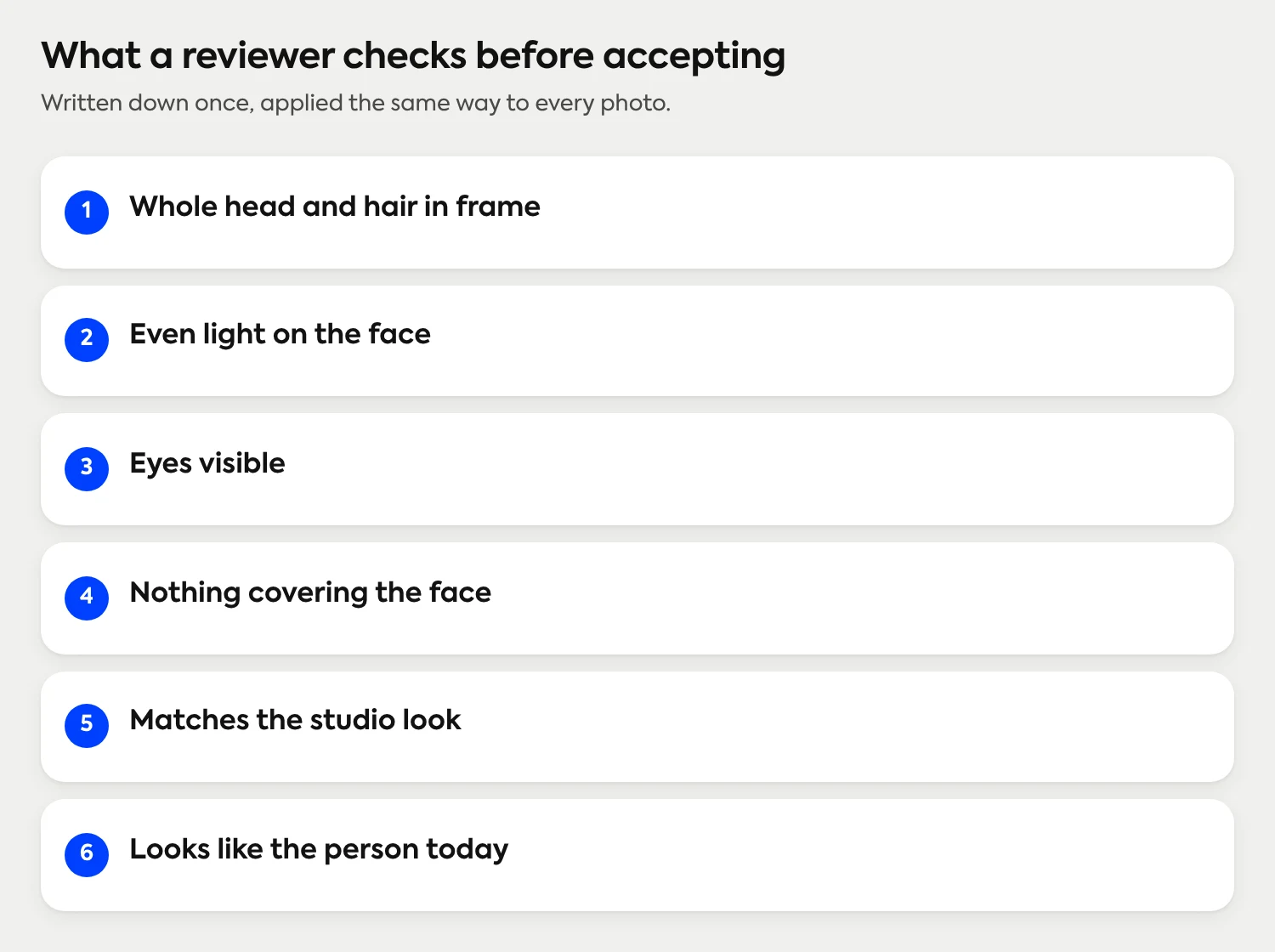
The studio's style sets the background, lighting and crop, so reviewers are checking the capture, not the look. For a longer reviewer test at scale, see how to approve 100 or more photos. To write the standard itself for offices in different countries, the guide to matching headshots across global teams covers it.
Who should get which role?
Start from the job, not the title. A manager or HR partner who only approves photos is an Approver. Someone who follows progress but should not change anything is a Viewer. The IT or engineering lead setting up an integration is a Developer. A co-lead who runs studios day to day is an Admin. The person who also handles billing and the team is an Owner.
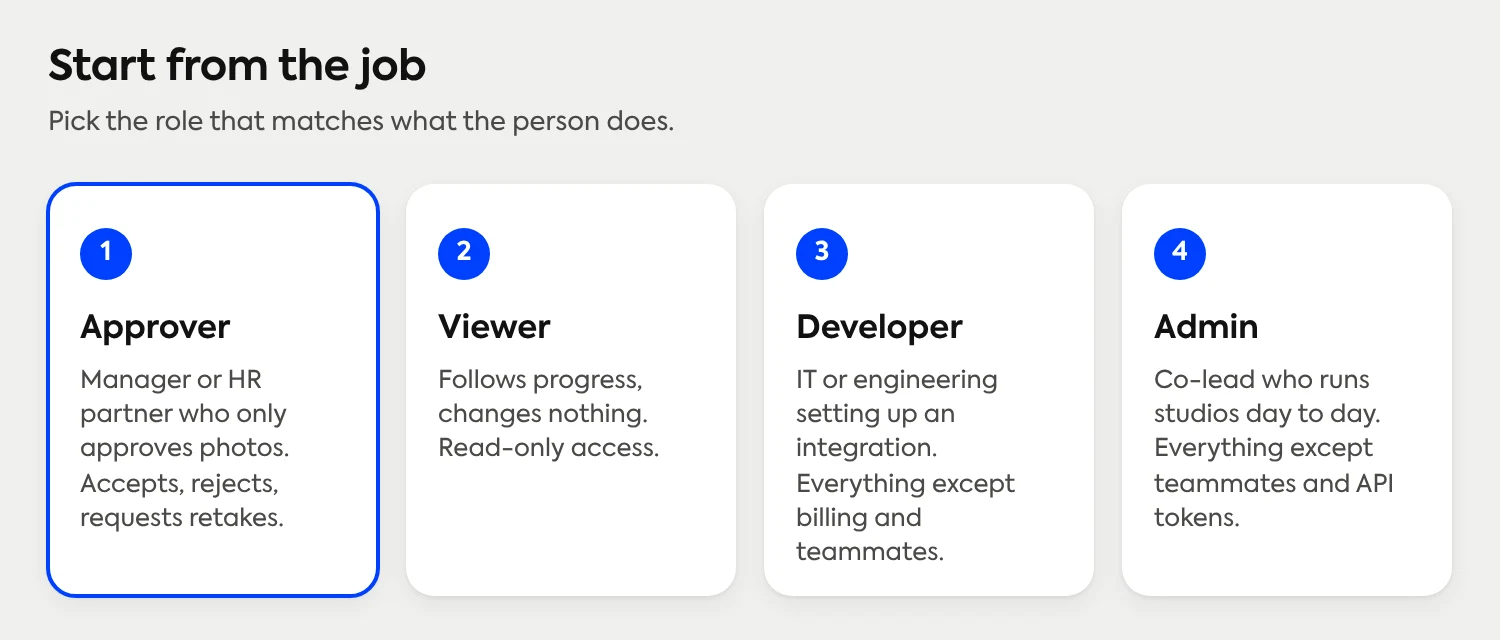
Owners add teammates in Account Settings, on the Team Settings tab, choosing a role for each person as they invite them. A short description under the role menu shows what each role can do, and the help center guide to team roles and permissions walks through the steps. Teammates added before roles were introduced may show as Custom, which keeps their earlier access; moving them to a standard role keeps the account easy to read. If someone tries something their role does not allow, they see a message explaining why, and an Owner can change their role.
Where does this fit with the rest of Scale?
Roles sit alongside review, retakes and export as part of how a company runs a headshot program. Pricing follows Save as You Scale: free to set up, credits from $25 per headshot and 3 free credits for every new account. There are no subscriptions or contracts, and volume pricing lowers the per-person cost for larger teams. The pricing page has the current detail.
The full list of capabilities is on the features page, and how a rollout works for a whole company shows the path from invitation to delivery.
Frequently Asked Questions
What is an Approver in Scale Headshots?
An Approver is a team role for people who review headshots but do not run the program. An Approver can accept, reject and request retakes, and can view contacts and studios without changing them.
What roles does Scale Headshots have?
Scale has five roles: Owner, Admin, Developer, Approver and Viewer. The Owner has full access, Admins and Developers each manage most of the account, Approvers review submissions and Viewers have read-only access.
Can an office manager approve employee headshots without admin access?
Yes. Give the office manager the Approver role. They can accept or reject submissions and request retakes, without access to billing or team management.
Can an Approver request a retake?
Yes. An Approver can accept, reject and request retakes. Each submission includes up to four retakes before another credit is deducted.
What is the difference between an Admin and a Developer?
An Admin can do everything except manage teammates and API tokens. A Developer can do everything except billing and teammates, which makes it the fit for whoever connects the API or webhooks.
Who can invite teammates and change roles?
Owners. Team management is part of the Owner role, and Owners invite teammates and change roles from the Team Settings tab in Account Settings.
What do Review, Accepted and Rejected mean?
Each headshot lands in the Dashboard as Review. An Admin or Approver then moves it to Accepted or Rejected, or requests a retake.
Still have questions? Get in touch and we'll be happy to help!
Give reviewers the access their job needs
Your team captures real photos on their own phones, office managers and team leads review them as Approvers, and billing and team management stay with the people who run the program. Free to set up, credits from $25 per headshot, and 3 free credits to try it.