Industry Guide
Guide to LinkedIn Headshots for Your Team
Every employee with a LinkedIn profile is a surface where your brand shows up. This guide covers how HR, marketing, and operations teams get consistent, professional LinkedIn headshots across every employee, without coordinating photographers or chasing down selfies.

Why LinkedIn Headshots Matter for Your Company
LinkedIn isn't a personal platform anymore. It's a distributed brand surface, and every employee profile is a place where your company gets seen, evaluated, and benchmarked. Recruiters check candidate profiles. Prospects check the sales team. Investors check the leadership. Journalists check executives. Partners check everyone.
For a company, inconsistent LinkedIn headshots are a visible brand gap. When half of your sales team has crisp professional photos and the other half has wedding-cropped selfies or blurry group shots, the message is that your brand standards stop at the homepage. LinkedIn's own data shows profiles with a professional photo receive 14 times more profile views and 9 times more connection requests than profiles without one. That traffic and engagement happens whether your company is coordinating it or not.
The business case compounds for three specific programs:
Social selling. Companies running structured LinkedIn outreach programs (sales reps, BDRs, customer success) see direct pipeline impact from profile quality. Sales Navigator's Social Selling Index weights profile completeness heavily, and an on-brand headshot is the first element of that completeness.
Employee advocacy. Companies using platforms like EveryoneSocial, Sociabble, or Bambu to amplify brand content through employee LinkedIn profiles get higher engagement when the employees posting look like they work at the same company.
Recruiter visibility. Your talent brand lives on the profiles of the people doing the recruiting. A polished team of recruiters signals a company that takes presentation seriously, which influences candidate pipeline quality.
Consistent headshots across every LinkedIn profile turn your employee base into a coherent brand presence, not a patchwork.

Who This Guide Helps
Sales & GTM Teams
Sales reps, BDRs, and customer success teams running structured social-selling motions where profile quality directly affects pipeline. Sales Navigator's SSI weights profile completeness; consistent headshots compound the effect.
Employee Advocacy Programs
Companies amplifying brand content through EveryoneSocial, Sociabble, or Bambu where employee posts get higher engagement when the employees posting look like they work at the same company.
Talent Acquisition & Recruiting
Talent brand and recruiting teams whose own profiles set the tone for candidate-side perception. A polished team of recruiters signals a company that takes presentation seriously.
Executive & Leadership Teams
C-suite and senior leaders whose LinkedIn profiles double as the company's investor and customer-facing leadership page. Trigger moments (IPOs, M&A, board changes) compound the cohesion need.
Match Style to Function

Sales & Client-Facing
Approachable warmth, smile-forward, polished business professional. Blazer over open-collar shirt with a modern architectural backdrop. The register that builds the most rapport on first impressions — ideal for SDRs, Account Executives, Customer Success leaders, and field sales roles where the LinkedIn photo is part of the cold-outreach toolkit.

Engineering / Technical
Clean modern professional without the blazer or tie. Confident but not performative. The register that reads as substance over polish — ideal for engineers, product managers, data and analytics roles, and technical individual contributors whose LinkedIn audience values function over formality.

Marketing & Brand
Modern professional with brand-aligned polish. Blazer over a clean shirt, slight smile, soft architectural or modern office backdrop. The register that signals creative judgment alongside professional credibility — ideal for marketers, brand leads, content strategists, and customer-facing creative roles.

Executive / Senior Leader
Formal gravitas — tailored suit + tie, confident posture, modern professional backdrop. The register that signals authority and experience, ideal for VPs, the C-suite, founders, and senior individual contributors whose LinkedIn presence sits in board, investor, or press contexts.
What's Modern in LinkedIn Headshots in 2026
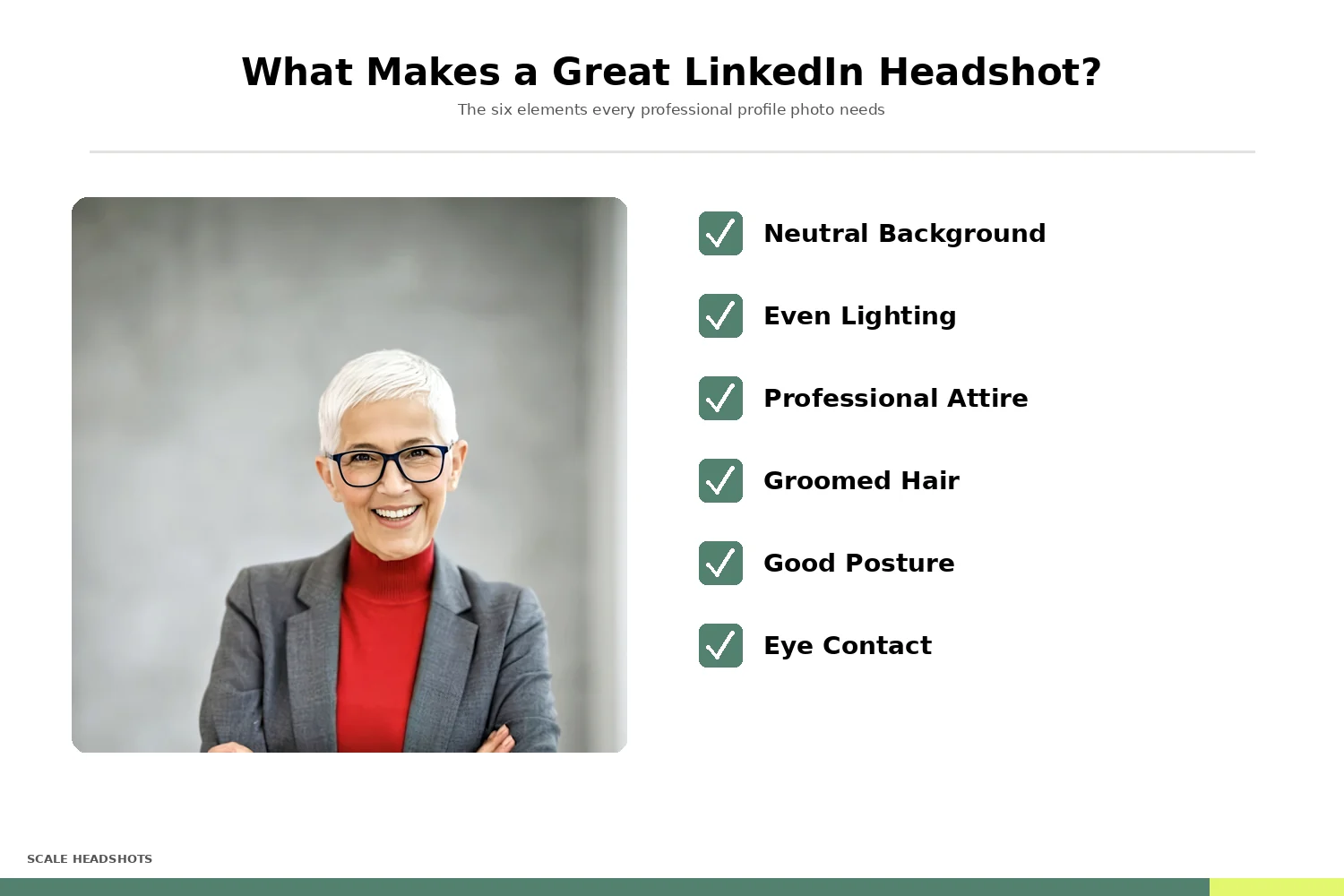
The 2026 LinkedIn headshot moves away from the formal-suit-and-tie default toward a register matched to the person's actual role. Sales leans approachable. Engineers lean modern, no-blazer. Marketing leans brand-aligned polish. Executives keep formal for board and IR contexts. Across all of them: face at roughly 60% of frame, eyes at the upper third, slight teeth-showing smile, clean uncluttered backdrop.
See real LinkedIn headshot examplesWhat Great LinkedIn Headshots Look Like
LinkedIn has specific technical requirements and stronger visual conventions than any other professional channel. Meeting them matters because LinkedIn's interface crops aggressively, and profiles that ignore the platform's standards look amateur next to those that follow them.
Technical specs. LinkedIn displays profile photos as a circle at 400 pixels wide. Upload images at 800x800 or larger in JPG or PNG format. Photos are cropped tightly to the face, so framing matters more than on other platforms: aim for head-and-upper-shoulders, with the subject centered and the top of the head close to the frame edge.
Attire. Match what your team wears in client-facing settings. Business professional for finance, law, and enterprise sales. Polished business casual for tech, creative, and startup roles. Consistency within a team matters more than any absolute standard: if half your leadership team is in suits and the other half is in hoodies, choose a middle ground that works across both.
Expression. A natural, slight smile performs best. Overly formal expressions read as dated. Overly casual reads as unprofessional.
Background. Solid, neutral backgrounds work universally and keep attention on the face. LinkedIn's circle crop makes busy backgrounds feel cluttered even when they'd work elsewhere. Consistent backgrounds across your team create a cohesive look on team pages and employee advocacy posts.
See Real Examples
Browse 180+ real team headshots by industry, or compare 20 before-and-after enhancements.

The Consistency Problem at Scale
Ask any marketing or HR lead who's tried to standardize employee LinkedIn photos, and you'll hear some version of the same story: it's nearly impossible at scale.
Traditional approaches break down fast. Scheduling an in-office photographer means coordinating calendars across employees who travel, work hybrid, or sit in satellite offices. Asking employees to "please upload a professional photo" produces uneven results because most people don't own a professional headshot and won't pay for one out of pocket. Sending a style guide rarely helps either, because what's missing isn't the knowledge, it's the execution.
The cost of doing it right, the traditional way, adds up quickly. Professional photography sessions run $200 to $350 per employee, not counting the scheduling overhead. For a 150-person company, that's $30,000 to $50,000 before you've accounted for retakes, new hires, or the inevitable turnover that breaks the consistency you just built.
The result on most company LinkedIn pages is predictable: leadership looks polished, the sales team looks pretty good, and the rest of the employee base is a mix of selfies, cropped group photos, and default gray silhouettes. The brand surface is fragmented by default.
There's a better approach.
How to Capture a Great LinkedIn Photo Without a Studio
Modern smartphones are more than capable of producing LinkedIn-ready headshots when combined with a few fundamentals. These work whether your employees are in a corporate office, at home, or in a satellite location.
1. Lighting
Lighting is the most important factor. Natural light from a window, with the subject facing the window directly, produces soft, even illumination. Avoid overhead fluorescent lighting (harsh shadows under the eyes) and backlighting (silhouette effect). Late morning and late afternoon light is easiest to work with.
2. Background
Keep it simple. A solid wall, a clean corner, or a plain curtain all work. The key is avoiding clutter: books, art, and office supplies in the background compete with the subject's face for attention, and LinkedIn's circle crop makes any clutter feel closer than it's.
3. Camera Position
Eye level or very slightly above. Prop the phone on a tripod, a stack of books, or a shelf at about five feet high. Shooting from below is unflattering; shooting from too high makes the subject look diminished.
4. Framing
Position the top of the subject's head near the top of the frame, with shoulders visible. LinkedIn crops tightly, so leaving extra space around the face gives room to adjust after the fact without losing resolution.
5. Coaching
Ask the subject to relax their shoulders, take a breath, and think of something that makes them smile naturally. Take several photos in succession. The best shot is usually the one taken after the person stops thinking about being photographed.
The same simple guidance, applied consistently across the team, produces remarkably consistent results.
Set Up Your Studio in 10 Minutes
Admins customize the branding, headshot styles, and send invites to the team. Every employee captures on their own schedule. Scale handles the rest.
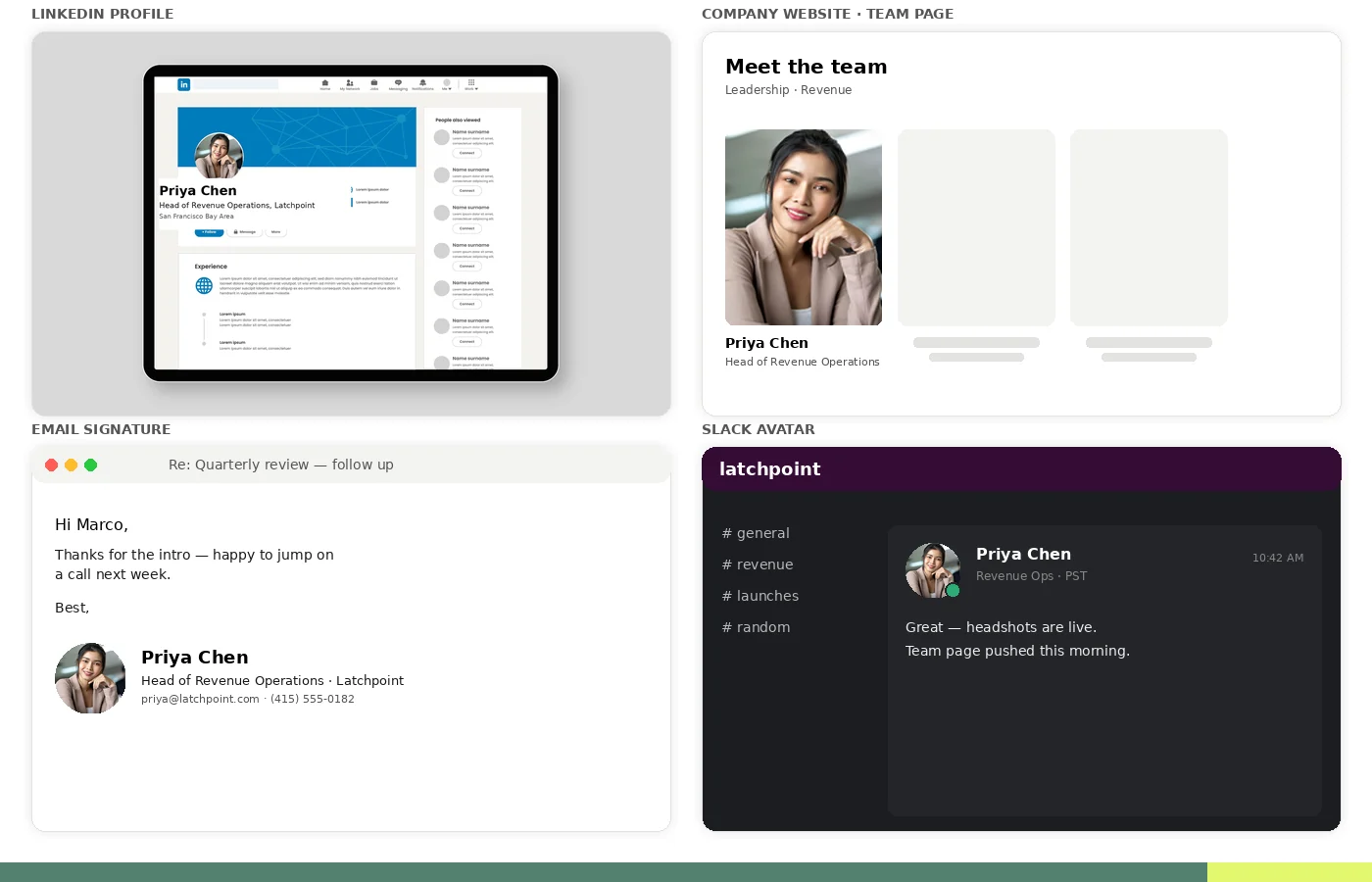
Where LinkedIn Headshots Get Used
LinkedIn Profile Photo
The primary placement. Visible in search, InMail, posts, and team listings.
Company Website
Team and About pages where prospects verify the people behind a profile.
Employee Advocacy Tools
EveryoneSocial, Sociabble, and Bambu pull employee photos into branded share UIs.
Sales & BDR Outreach
Sales Navigator and outbound tools surface LinkedIn photos in account dashboards.
Email Signatures
Standardized signatures need the same face-to-name match clients see on LinkedIn.
Intranet & Chat Avatars
Slack, Teams, Notion, and Google Workspace all use the same headshot format.
Each of these channels benefits from one photo, every format. A single high-quality source image, formatted for every placement, without redoing the capture.
Why Scale
The Scale Advantage for LinkedIn Team Headshots
| Scale Headshots | Traditional Photography | |
|---|---|---|
| Cost per employee | Starting at $25 per headshot | $200 – $350 per employee |
| Scheduling | None. Employees self-serve on their own time | Coordinate calendars across the company |
| Remote and hybrid employees | Works anywhere with a phone and decent lighting | Fly employees in or skip remote staff |
| New hires | Send an invite link | Rebook the photographer |
| Consistency | Automatic brand enforcement across every photo | Depends on photographer and brief |
| Turnaround | Minutes per headshot, hours for a full team | Days onsite plus editing turnaround |
 Scale Headshots
How Much Could Your Company Save?
150 employees x $200-$350 traditional = $30,000 to $52,500. The same team with Scale: $3,375. 85%+ savings, credits never expire.
How Scale Headshots Works for Your Team
Scale Headshots was built for exactly this situation: companies that need consistent, professional LinkedIn headshots across an entire team without the coordination overhead of traditional photography. Here's how it works when the program owner is HR, marketing, or ops.
1. Set Up Your Studio
An admin (HR lead, marketing manager, or ops coordinator) creates the company's studio, customizes the branding, headshot styles, and formatting preferences in about ten minutes. The platform is free to set up; you only pay for approved headshots.
2. Invite Your Team
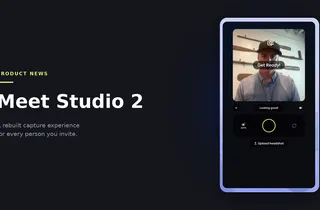
Every employee receives a capture link. They use their phone or laptop camera with guided instructions for framing, lighting, and expression. No app download, no scheduling required. Employees can capture their headshot at the office, at home, on a lunch break, or anywhere with decent lighting.
3. AI Enhances the Real Photo
Scale takes the actual photo each employee captured and enhances it: correcting lighting, replacing the background, applying your company's chosen style, and upscaling image quality. The output is a real photo of a real person, polished to professional standards. This isn't an AI-generated image; the face, expression, and identity all belong to your employee.
4. Review and Approve
Your admin reviews every headshot in a dashboard before anything is finalized. If a submission doesn't meet your company's standard, the employee can retake it (up to five retakes included per credit). Quality control without requiring the admin to micromanage the process.
5. Export for Every Placement
One capture gives you multiple outputs: LinkedIn-optimized 800x800, website bio dimensions, email signature size, internal directory format, and more. The same photo works for every surface your employee needs to populate.
6. Onboard New Hires Anytime
When a new hire starts, they receive a capture link through the same platform using your company's existing settings. Their photo matches everyone else's by default, and the onboarding headshot step becomes part of your standard new-hire flow. Credits never expire.
Automate Headshot Delivery Across Your Stack
Scale's REST API with webhooks keeps employee headshots fresh across the systems that actually use them. Onboarding, advocacy, signatures.
- Sync to HRIS on hire (Rippling, BambooHR, Gusto, Workday).
- Push to employee advocacy tools (EveryoneSocial, Sociabble, Bambu).
- Feed email signature managers (Exclaimer, WiseStamp, Mailtastic).
- Update intranet directories and team pages (Slack, Teams, Notion, Google Workspace).

What teams are saying
Easy to use. Easy to scale. Great results. Scaling has been super easy for us.
— Tilt
Ready to Standardize Your Team's LinkedIn Headshots?
Scale Headshots makes it easy for your company to capture consistent, professional LinkedIn headshots across every employee. No studio scheduling, no selfie chasing, no coordination headaches.
Headshots for your company size
Founders and startups
Team headshots for founders and distributed teams, brand-consistent at any size.
Team HeadshotsGrowing teams
Employee headshots that scale with hiring across a growing organization.
Employee HeadshotsLinkedIn Team Headshot FAQ
How much does a LinkedIn headshot cost for a company?
A LinkedIn headshot from a traditional photographer runs $200 to $350 per employee, including session fees, retouching, and coordination time. A 100-person rollout typically lands at $20,000 to $35,000 for a single coordinated session. Scale Headshots is the lower-cost alternative: credits start at $25 per headshot with volume pricing that drops significantly at scale. The platform is free to set up, and you only pay for approved headshots.
Can employees take their LinkedIn headshot with a phone?
Yes. Modern smartphones produce LinkedIn-quality headshots when combined with good lighting and Scale Headshots' guided capture instructions. Every employee can capture their headshot at their desk, at home, or wherever works best. No app download required; the capture link works on any modern browser.
How do you keep LinkedIn photos consistent across the whole team?
Scale Headshots applies the same background style, color treatment, and formatting to every employee's capture, regardless of where each person actually shot. The admin configures the company's standard once. Every submission renders against that standard automatically. The result is a unified team grid whether an employee is in Chicago, Berlin, or working remotely.
What's the ideal LinkedIn profile photo size?
LinkedIn displays profile photos as a 400x400 circle. We recommend uploading at 800x800 or larger for clarity on retina displays. Scale Headshots exports every headshot in LinkedIn-optimized dimensions automatically, along with sizes for email signature, website bio, and internal directory.
Can a company review headshots before employees post them?
Yes. With Scale Headshots, the admin dashboard lets you review, approve, or request retakes for every submission. Employees get up to five retakes per credit before an additional charge applies. The company gets quality control without blocking the employee's timeline.
How long does a full-team LinkedIn headshot rollout take?
Most headshots are processed and ready for review within minutes of submission. A 100-person company can typically have everyone captured, reviewed, and exported within a week, depending on how quickly employees complete their capture step.
How do you handle new hires and employee turnover?
Send the new employee a capture link as part of onboarding. They use the company's existing style settings, so their photo matches the rest of the team by default. When employees leave, their login access ends, but the photos already in use (LinkedIn, email signature, etc.) follow standard corporate-asset practices for your company.
Can employees keep their headshot if they leave the company?
Usually yes. The photo is taken with the employee's consent and is a real photo of them, so they typically retain a personal copy. The company's Scale Headshots studio and any custom brand styling stay with the company. If your company has a specific policy around employee imagery (often covered in your employment agreement or IP policy), Scale's admin controls support whatever handoff process you prefer.
Does Scale Headshots integrate with HRIS or employee advocacy platforms?
Yes, through Scale's REST API with webhooks. Teams integrate headshot delivery into HRIS onboarding (Rippling, BambooHR, Workday), employee advocacy platforms (EveryoneSocial, Sociabble), and email signature managers (Exclaimer). Full API documentation is available to developers.
Are AI-generated headshots the same as Scale Headshots?
No. AI generators create synthetic images trained on selfies the employee uploads. The result looks like the person but isn't actually a photo of them. Scale Headshots works with real photos captured by your employees, then uses AI to enhance quality (lighting, background, upscaling). The output is a real photo of a real person, which matters for trust on a platform like LinkedIn where recipients expect the face they see to match the person they meet.
Still have questions? Get in touch and we'll be happy to help!