
Industry Guide
Guide to Lawyer & Attorney Headshots
A firm's headshots show up everywhere: attorney bios, legal directories, LinkedIn, pitch decks, and courthouse filings. This guide covers how to plan, capture, and manage professional headshots across your entire practice, whether you have five attorneys or five hundred.

Why Headshots Matter for Law Firms
First impressions in legal services happen long before a consultation. A prospective client searching for representation will visit your firm's website, scan attorney bios, and check LinkedIn profiles before ever picking up the phone. According to research from Martindale-Avvo, 97% of legal consumers start their search online, and attorney profile photos are among the first elements they evaluate.
For a firm, headshots aren't vanity. They're a trust signal. Consistent, professional photos across your attorney roster communicate stability, cohesion, and attention to detail: all qualities clients want from their legal counsel. When photos are mismatched (different backgrounds, lighting, quality, or styles across attorneys), the implicit message is disorganization.
This matters most for firms going through change: lateral hires joining from other practices, associates making partner, offices opening in new markets. Each transition creates a headshot gap that compounds over time. A firm with 30 attorneys and normal turnover will need to update five to ten headshots per year just to stay current.
The places those headshots appear keep expanding too. Beyond your website, attorneys need current photos for state bar directories, legal publications, court submissions requiring attorney identification, conference speaker pages, media appearances, and client-facing documents. One outdated or inconsistent headshot can undermine the professional image your firm has spent years building.
The challenge isn't whether law firms need professional headshots. It's how to get them done efficiently, consistently, and without disrupting billable hours.
Who This Guide Helps
Big Law Firms
Multi-office firms with 100+ attorneys managing partners, associates, and lateral hires across state bar directories, court submissions, and conference circuits. The brand-cohesion play at scale.
Mid-Size & Boutique Firms
10-100 attorneys in specialty practices (litigation, IP, M&A, family law) where the team page IS the firm's pitch. Lateral additions and partnership promotions create ongoing headshot work.
Solo & Small Firm Lawyers
1-9 attorney shops where every web page, intake form, and bar association directory needs a current headshot. Self-service tooling eliminates the photographer-coordination tax.
In-House Legal Departments
GCs, corporate counsel, and legal ops teams who need leadership-grade portraits for company IR pages, board portals, and external counsel directories. Same standard as the executive team they sit alongside.
Match Attire to Practice Setting

Big Law / Partner
Tailored suit and tie, conservative neutral backdrop. The traditional firm-letterhead register for AmLaw partners, M&A, and traditional firms where formal authority is part of the value proposition.

In-House / Corporate
Business professional, often without a tie, with a clean modern backdrop. The modern register for in-house counsel, GC profiles, and firms working alongside tech and corporate clients where 'modern legal' signals work better than buttoned-up traditionalism.

Litigator
Sharp formal attire with a confident posture and clean neutral backdrop. The court-facing register for trial attorneys and high-stakes litigation practices where gravitas and precision matter as much as warmth.

Boutique / Solo Practice
Polished business attire with an approachable warmth. The relatable-expert register for boutique firms, family law, plaintiff practices, and solo practitioners where the client wants to feel they're talking to a person, not just a credential.
What's Modern in Legal Headshots in 2026
The 2026 legal headshot moves toward soft natural-feel light, business-professional-but-approachable wardrobe, and clean neutral backdrops that work across firm websites, legal directories, and LinkedIn. The biggest shift: in-house counsel and boutique-firm partners increasingly opt for the blazer-no-tie register that signals modern legal practice without sacrificing credibility. Big Law leadership still favors the formal suit, but even there the editorial backdrop is softening: in with subtle architectural texture or warm neutral, out with seamless studio gray.
See attorney headshot examplesWhat Professional Legal Headshots Look Like
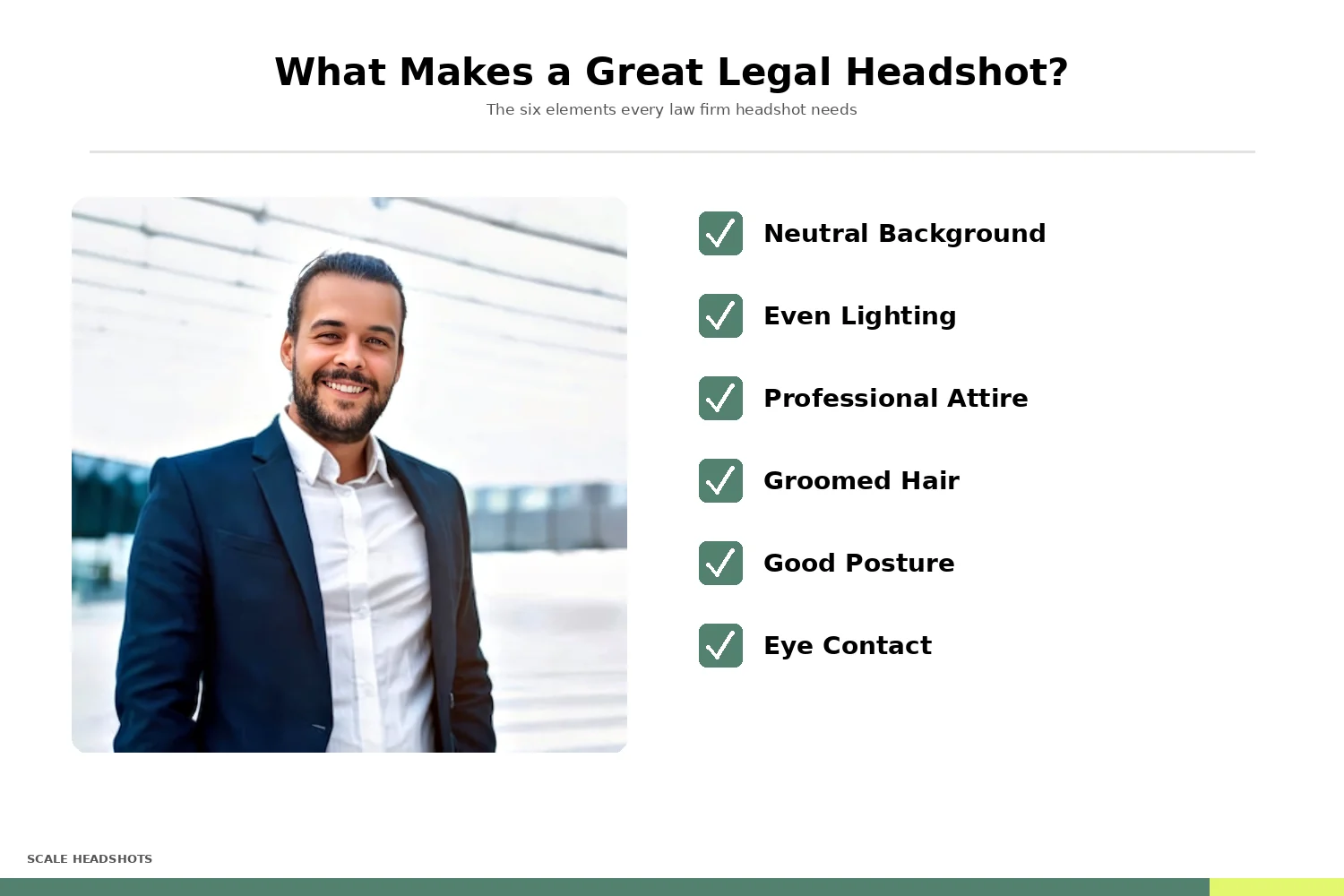
Legal headshot standards vary by practice area, but a few principles apply across the board.
Attire should reflect how your attorneys present to clients. For litigation, corporate, and finance practices, that usually means a suit or blazer. For family law, employment, or in-house teams, business professional or polished business casual works. The key is consistency within the firm: if your corporate partners are in suits and your associates are in casual polos, the team page looks fragmented.
Expression matters more than most attorneys realize. A slight, natural smile reads as approachable and confident. A stern or overly formal expression can feel dated. The best legal headshots communicate competence and warmth simultaneously.
Backgrounds should be simple and consistent. Neutral solids (gray, white, soft navy) work universally. Environmental backgrounds (office, library, courtroom) can work for individual attorneys but are nearly impossible to replicate across a full team, especially if your attorneys are in different offices.
Framing is typically head-and-shoulders, with the subject centered or slightly off-center. This format works across every placement: website bio cards, directory listings, LinkedIn, email signatures, and print materials.
The single biggest quality issue firms face isn't any one photo. It's inconsistency across the roster.
See Real Examples
Browse 180+ real team headshots by industry, or compare 20 before-and-after enhancements.
The Headshot Coordination Problem
Ask any office manager or marketing director at a law firm about headshots and you'll hear the same story: getting every attorney photographed with a consistent look is a logistical nightmare.
Traditional approaches create friction at every step. Scheduling an in-office photographer means coordinating calendars across attorneys who bill in six-minute increments and travel frequently. Multi-office firms face the added complexity of sending a photographer to each location or flying attorneys to a central studio. Remote attorneys (now common at firms of every size) often get left out entirely.
The cost compounds quickly. Professional photography sessions for a mid-size firm can run $5,000 to $15,000 or more when you factor in photographer fees, studio rental, and the opportunity cost of attorney time. And the moment a new lateral hire joins or a partner's appearance changes, you're back to square one for that individual.
The result is what most firm websites actually look like: a patchwork of photos taken at different times, in different studios, with different styles. Some attorneys have polished portraits. Others have phone selfies or headshots from a previous firm. A few have no photo at all.
There's a better approach.
How to Capture Professional Headshots Without a Studio
You don't need a $2,000 photography session to get a headshot that works. Modern smartphone cameras are more than capable of producing professional-quality photos when combined with a few fundamentals.
1. Lighting
Natural light from a large window is ideal. Position the subject facing the window (not with the window behind them) so light falls evenly across their face. Avoid direct overhead lighting, which creates harsh shadows under the eyes. Mid-morning or late afternoon light is softest.
2. Background
Keep it clean and uncluttered. A solid wall works. If you're capturing headshots for multiple attorneys, use the same background location for everyone to ensure consistency.
3. Camera Position
Eye level or slightly above. A phone mounted on a tripod at about five feet high gives the most natural perspective. Avoid shooting from below (unflattering) or too far above (diminishing).
4. Framing
Mid-chest up, with some space above the head. Don't crop too tightly; you can always adjust later, but you can't add pixels back.
5. Coaching
Have the subject take a breath, relax their shoulders, and think of something that makes them smile naturally. Take several photos in quick succession. The best headshot is usually the one taken after the person stops thinking about being photographed.
These basics work whether your attorneys are in the main office, a satellite location, or working from home. The key is providing the same simple guidance to everyone.
Set Up Your Studio in 10 Minutes
Admins customize the branding, headshot styles, and send invites to the team. Every attorney captures on their own schedule. Scale handles the rest.
Where Legal Headshots Get Used
State Bar Directories
Mandatory listings with strict format rules. An outdated photo here looks sloppy.
Legal Directories
Martindale-Hubbell, Super Lawyers, Best Lawyers, and Chambers feature attorney profiles prominently.
Firm Website Bios
The most visible placement. Among the top three factors in client choice of firm.
LinkedIn Profiles
Where referral sources and corporate counsel evaluate attorneys before reaching out.
Client Documents
Pitch decks, matter team intros, and RFP responses include attorney photos that need to look consistent side by side.
Media & Events
Publications and conferences require high-resolution headshots, often on short notice.
Why Scale
The Scale Advantage for Law Firm Headshots
| Scale Headshots | Traditional Photography | |
|---|---|---|
| Cost per person | Starting at $25 | $200–500+ per person |
| Scheduling | None. Attorneys self-serve on their own time | Coordinate calendars across the firm |
| Multi-office firms | Works anywhere with a phone and decent lighting | Send photographer to each location |
| New hires | Send an invite link | Schedule another session |
| Consistency | Automatic brand enforcement across all photos | Depends on photographer and brief |
| Turnaround | Minutes | Days to weeks |
| Quality control | Admin review dashboard with retake requests | Varies. Limited revisions typical |
 Scale Headshots
How Much Could Your Firm Save?
50 attorneys x $300-$500 traditional = $15,000 to $25,000. The same firm with Scale: $1,125. 90%+ savings, credits never expire.
How Scale Headshots Works for Law Firms
Scale Headshots was built for exactly this situation: organizations that need professional, consistent headshots across a team without the logistics of traditional photography. Here's how it works for a law firm.
1. Set Up Your Studio
An admin (office manager, marketing coordinator, or managing partner) creates the firm's studio, customizes the branding, headshot styles, and formatting preferences in about ten minutes. The platform is free to set up; you only pay for approved headshots.
2. Invite Your Attorneys
Each attorney receives a capture link. They use their phone or laptop camera with guided instructions for positioning, lighting, and framing. No app download, no scheduling required. Works at the office, at home, or anywhere with decent lighting.
3. AI Enhances the Real Photo
Scale takes the actual photo your attorney captured and enhances it: correcting lighting, replacing the background, applying your firm's chosen style, and upscaling quality. The result is a real photo of a real person, polished to professional standards. Not AI-generated.
4. Review and Approve
Your admin reviews every headshot in a dashboard before anything goes live. If a submission doesn't meet the firm's standard, the attorney can retake it (up to five retakes included per credit). Quality control without micromanaging the process.
5. Export for Every Placement
One capture gives you multiple outputs: website bio dimensions, LinkedIn-optimized sizing, email signature format, directory listing photos, and more. One session covers every placement your attorneys need.
6. Onboard New Hires Anytime
When a lateral hire joins or a partner needs an update, they capture a new headshot through the same platform using the firm's existing settings. No rebooking a photographer, no coordinating schedules. Credits never expire.
Automate Headshot Delivery Across Your Firm
Scale's REST API with webhooks keeps attorney headshots fresh across the systems your firm already uses. Bar directories, bio pages, intranet.
- Sync to attorney directories on hire (Martindale-Hubbell, Super Lawyers).
- Push to firm website bios and intranet pages.
- Update email signature managers (Exclaimer, WiseStamp).
- API access for custom workflows and ATS connections.

What teams are saying
Studio has significantly reduced that time spent, as backgrounds are pre-set and people are able to take their own headshots remotely without a professional photographer. It takes a lot of the legwork out of it.
— TNAA
Ready to Update Your Firm's Headshots?
Scale Headshots makes it easy for your firm to capture consistent, professional headshots across every attorney. No studio scheduling, no coordination headaches.
Headshots for your company size
Solo and small firms
Self-service company headshots for smaller teams, captured from any device.
Small Business HeadshotsLarge and in-house legal teams
Corporate headshots with API delivery and volume pricing for large teams.
Corporate HeadshotsLawyer Headshot FAQ
How much does a law firm headshot cost?
A law firm headshot from a traditional photographer runs $200 to $500+ per attorney, including session fees, retouching, and coordination time. Larger firms with multiple offices typically face $5,000 to $25,000+ for a firm-wide refresh. Scale Headshots is the lower-cost alternative: credits start at $25 per headshot with volume pricing for larger firms. The platform is free to set up, and you only pay for approved headshots.
Can attorneys take their own headshots with a phone?
Yes. Modern smartphones produce law firm headshots that hold up at every placement (firm bio pages, legal directories, LinkedIn) when paired with good lighting and Scale Headshots' guided capture instructions. Each attorney captures from their desk, home, or wherever works best. No app download required.
How do you keep law firm headshots consistent across attorneys?
Scale Headshots applies the same background style, color treatment, and formatting to every attorney's capture, regardless of where each person actually shot. The admin configures the firm's standard once. Every submission renders against that standard automatically. The result reads as cohesive whether attorneys are in New York, Denver, or working remotely.
What's the best background for a legal headshot?
Neutral solid backgrounds (gray, white, soft navy) work across every placement from firm websites to legal directories. With Scale Headshots, the admin sets the firm's standard background once and the platform applies it to every photo automatically. This eliminates the cohesion gap that comes from photographers using different setups across different cities.
Can a law firm review headshots before they're published?
Yes. With Scale Headshots, the admin dashboard lets you review, approve, or request retakes for every submission. Attorneys get up to five retakes per credit before an additional charge applies. The firm gets quality control without coordinating reshoots.
How long does a law firm headshot rollout take?
Most headshots are processed and ready for review within minutes of submission. For a full firm rollout, the timeline depends on how quickly attorneys complete their capture (typically 15 minutes per person via the guided flow). A firm of 50 attorneys can be captured, reviewed, and approved within a few days.
How do you handle new hires or lateral partners?
Send an invite link. New attorneys capture their headshot via Scale Headshots' guided flow using the firm's existing style settings, so the new photo matches everyone else's automatically. No photographer rebook required. New hires onboard in 15 minutes regardless of where they work.
Can one capture produce multiple headshot formats?
Yes. With Scale Headshots, one capture renders into every format the firm needs: website bio dimensions, LinkedIn-optimized sizing, email signature format, legal directory listings, and more. The platform supports up to 5 style modes per studio, all rendered from a single capture, all included in 1 credit per attorney.
Are AI-generated headshots the same as Scale Headshots?
No. AI-generated headshot tools (BetterPic, Aragon, HeadshotPro, Secta) create synthetic images trained on selfies. The output is not actually a photo of the attorney. Scale Headshots is fundamentally different: the capture is a real photo of the real attorney, taken on their phone or laptop camera. AI enhancement applies in post by adjusting lighting, replacing the background with the firm's standard, and upscaling quality. The face data is real because the photo is real. Scale's category is real photos, AI-enhanced quality, not AI-generated likeness, which matters in legal contexts where a recognition gap between a bar directory photo and in-person presence could erode client trust.
Is there volume pricing for larger law firms?
Yes. Credits start at $25 per headshot for smaller teams. Volume pricing scales down significantly for larger firms, multi-office practices, and firms with hundreds of attorneys. For full firm-wide rollouts at scale, per-portrait cost can drop below $10. Volume quotes are based on firm size, number of offices, refresh cadence, and any custom workflows the firm needs.
Still have questions? Get in touch and we'll be happy to help!