How people opt in to Scale Headshots text messages

Last updated: October 21, 2026

Scale Headshots texts are sent by Helium Development, LLC, doing business as Scale Headshots. The screens below are from the Scale Headshots studio, the web app where an employee takes their company headshot.

How consent works. A person gets a one-time text only when they ask for a sign-in code or a link. They get recurring updates about their headshot only if they tap a button that says so, such as "Continue with text updates". Every such button has a way to decline right next to it, and texts are never required to take a headshot.

What every opt-in screen shows: the brand name (Scale Headshots), what the texts are about, "Msg frequency varies", "Msg & data rates may apply", "Reply STOP to opt out, HELP for help", and links to our Text Message Terms and Privacy Policy.

1. Sign-in: the person chooses text or email
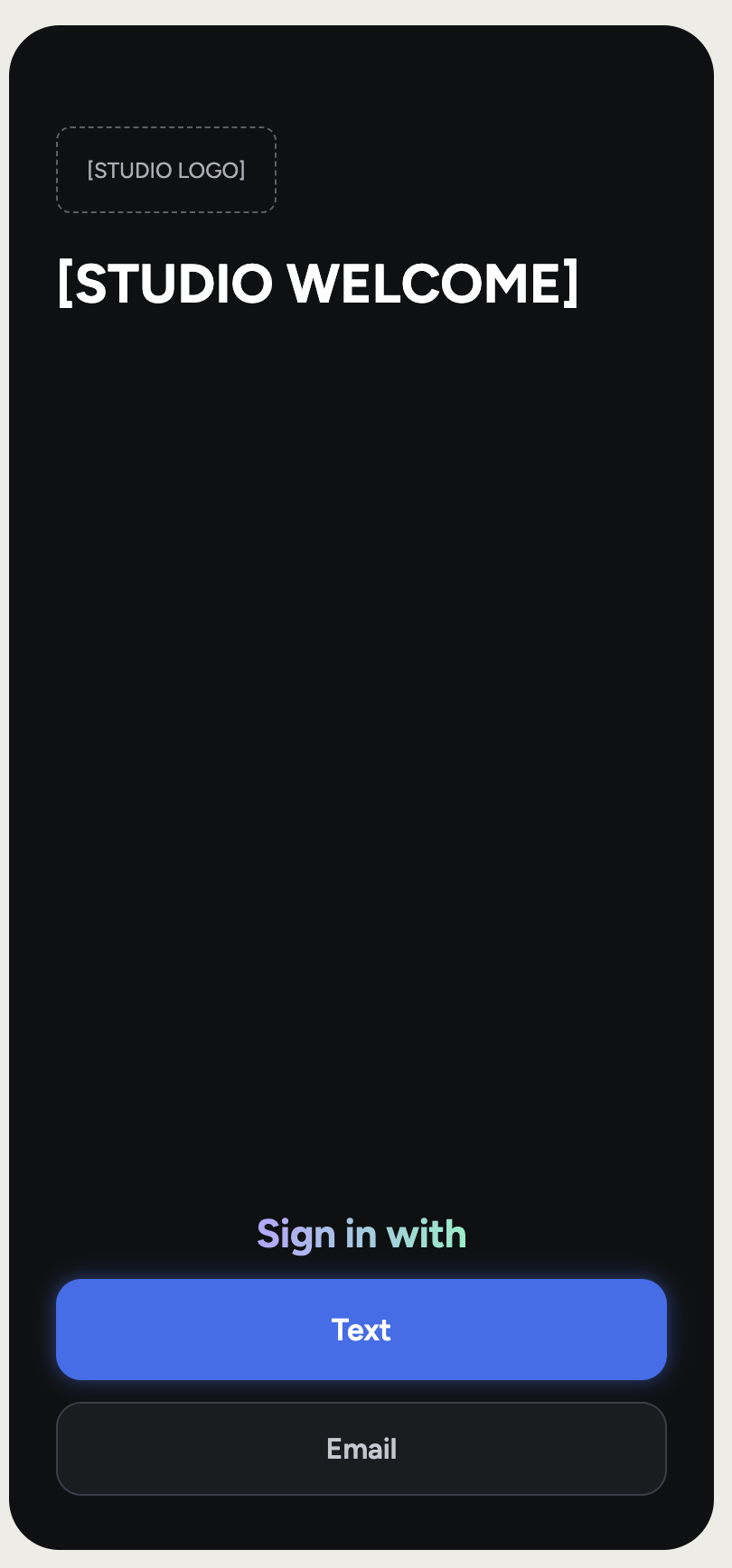
The studio's first screen. Nothing is sent yet, and there is no legal text to read until the person picks a way to sign in.
1. Sign-in: the person chooses text or email

2. Sign in with text
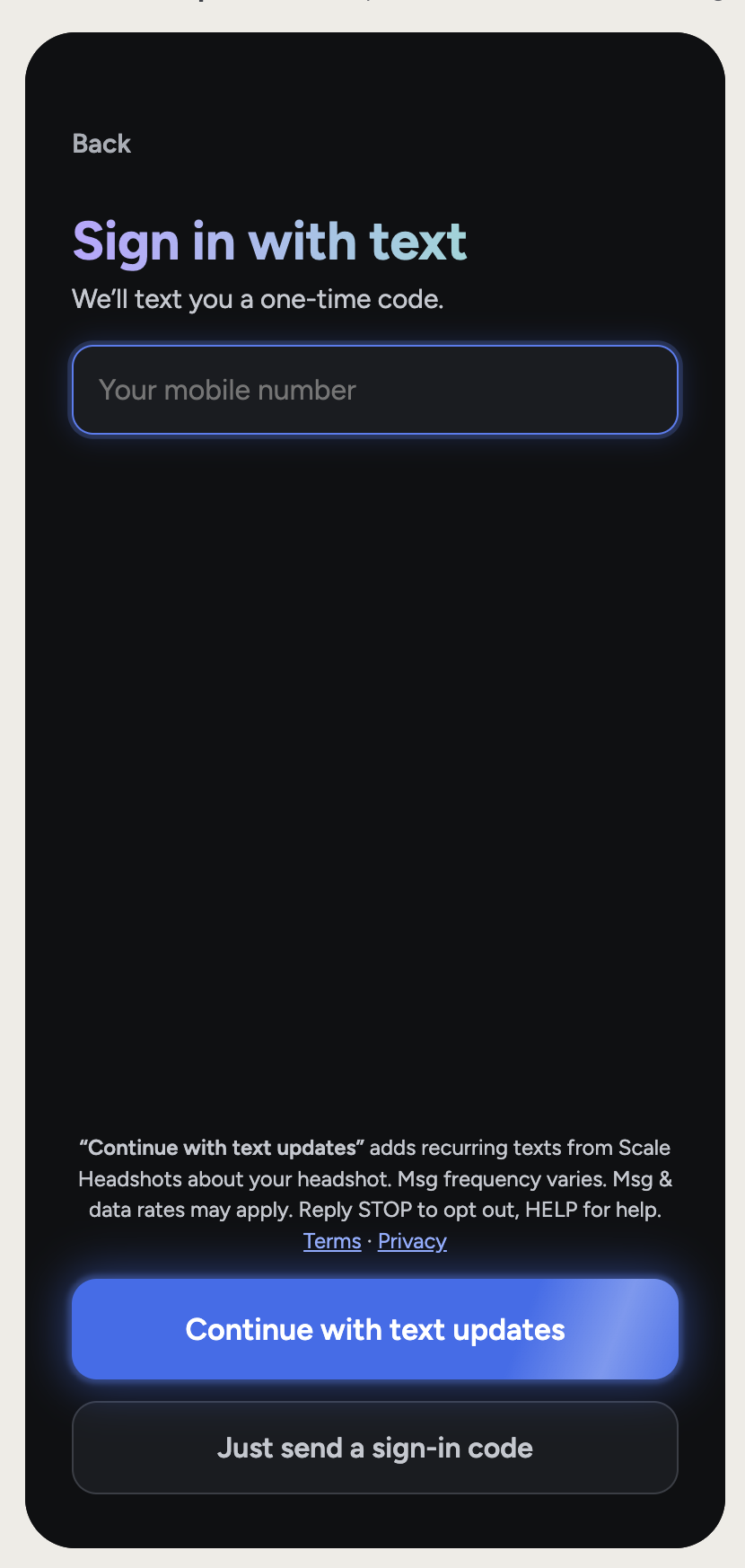
The person types their mobile number and chooses: "Continue with text updates" (a sign-in code plus updates about their headshot) or "Just send a sign-in code" (one code only). The disclosure sits right above the buttons.
2. Sign in with text

3. Invited employees choose how to get updates
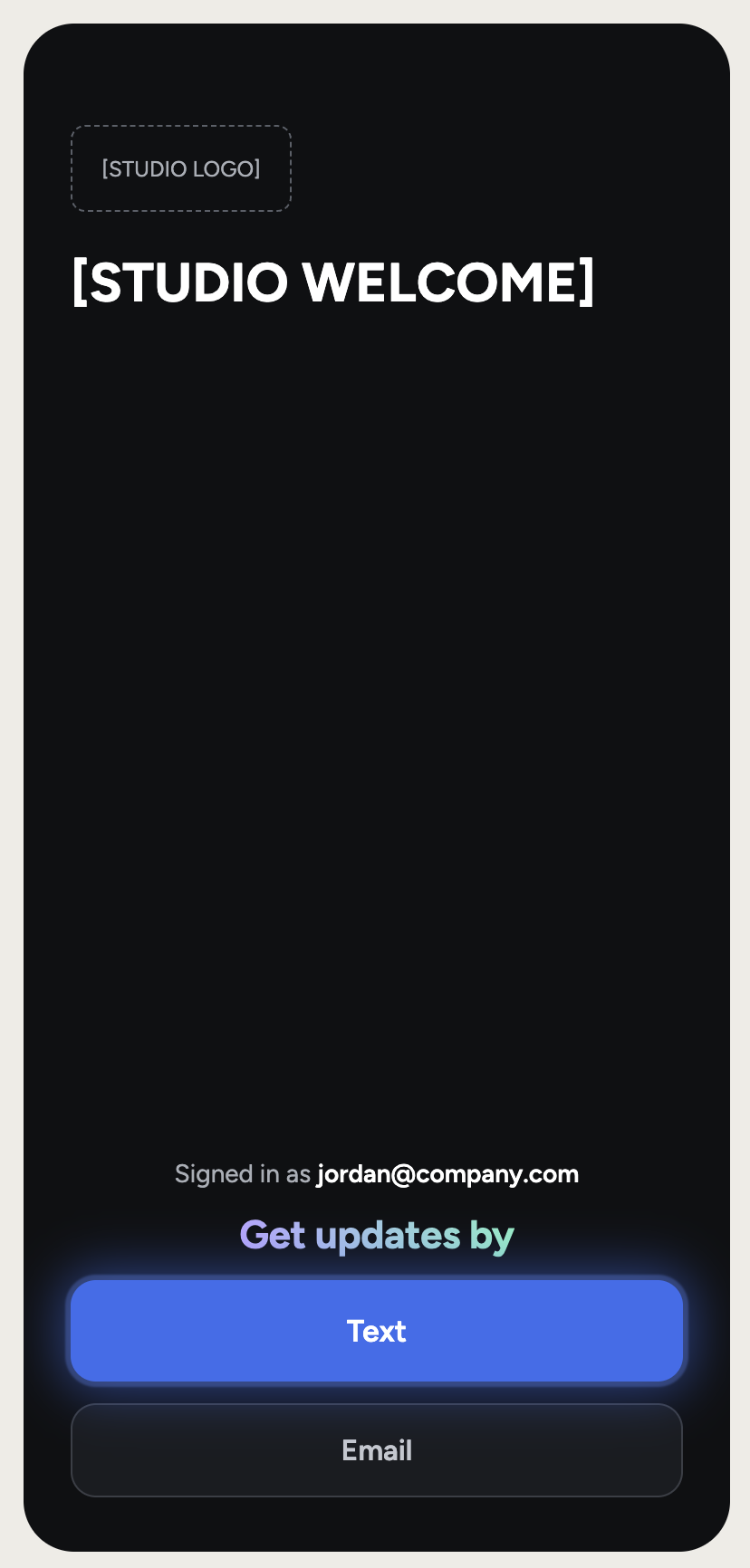
An employee invited by their company arrives already signed in by email, and picks text or email for updates.
3. Invited employees choose how to get updates

4. Text updates for an invited employee
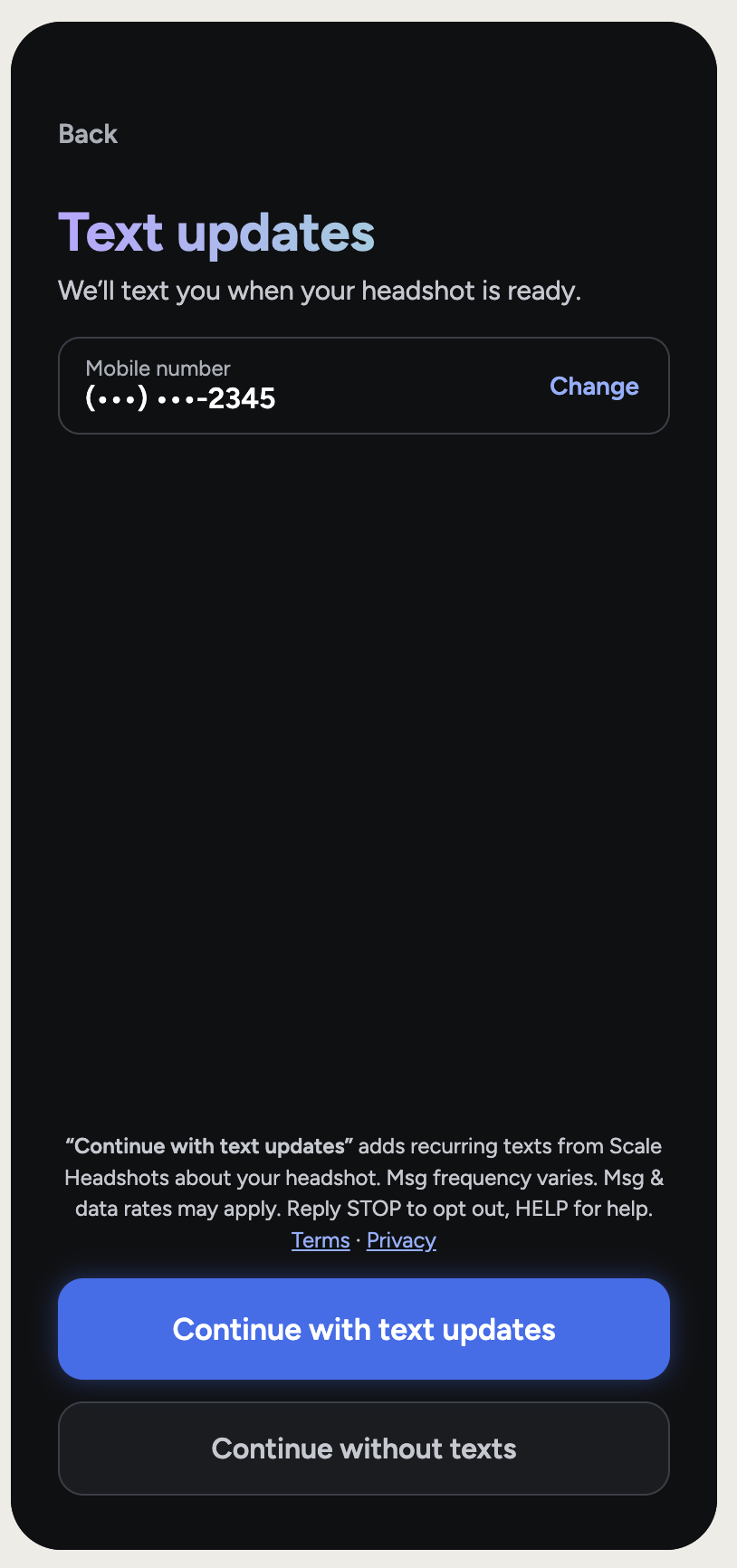
The person confirms or changes their number, then chooses "Continue with text updates" or "Continue without texts".
4. Text updates for an invited employee

5. Moving from a laptop to a phone
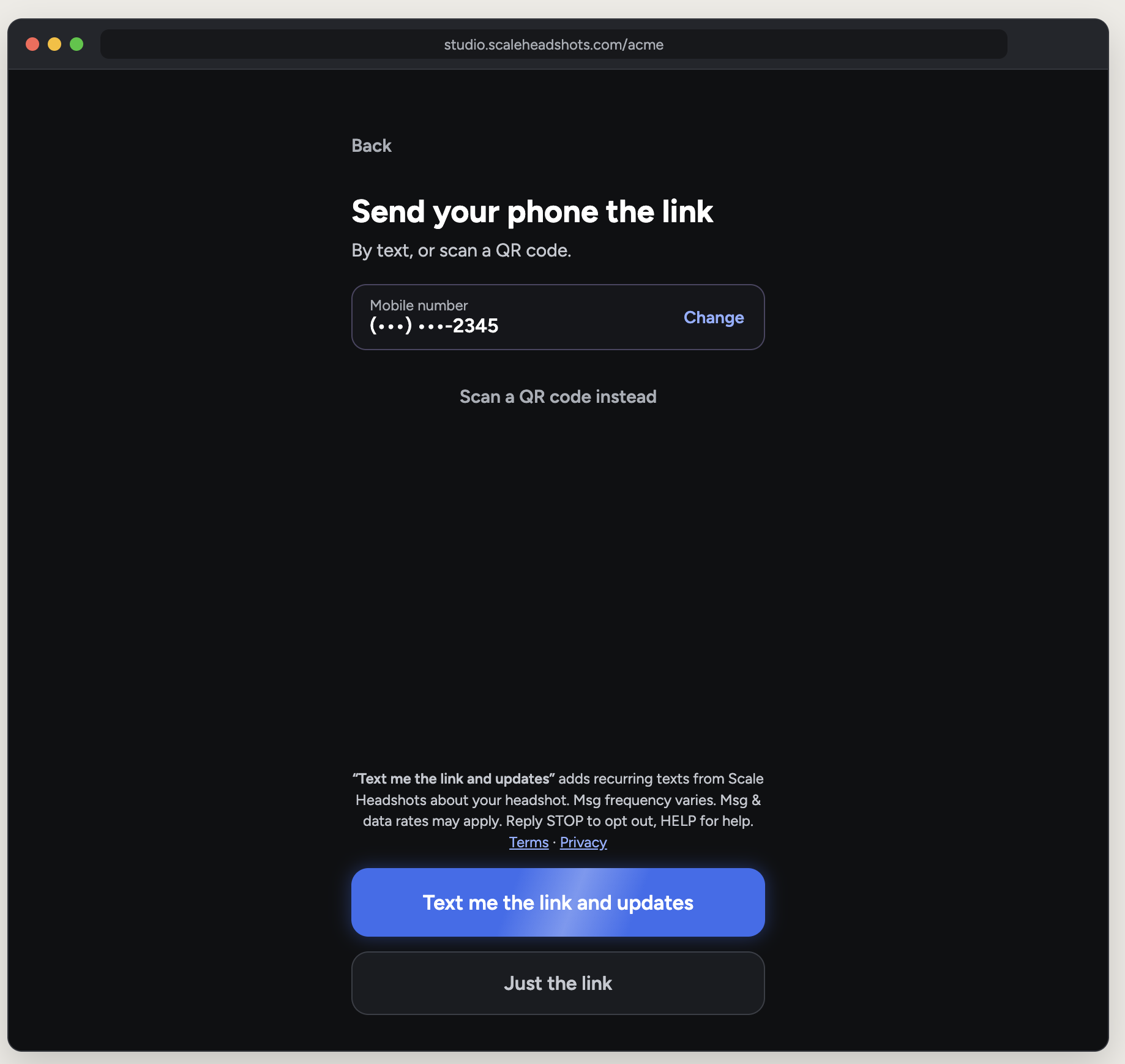
A person on a laptop can send the studio to their phone. They choose "Text me the link and updates" or "Just the link" (one text), or scan a QR code, which sends no text.
5. Moving from a laptop to a phone

6. Offer while the photo is being enhanced
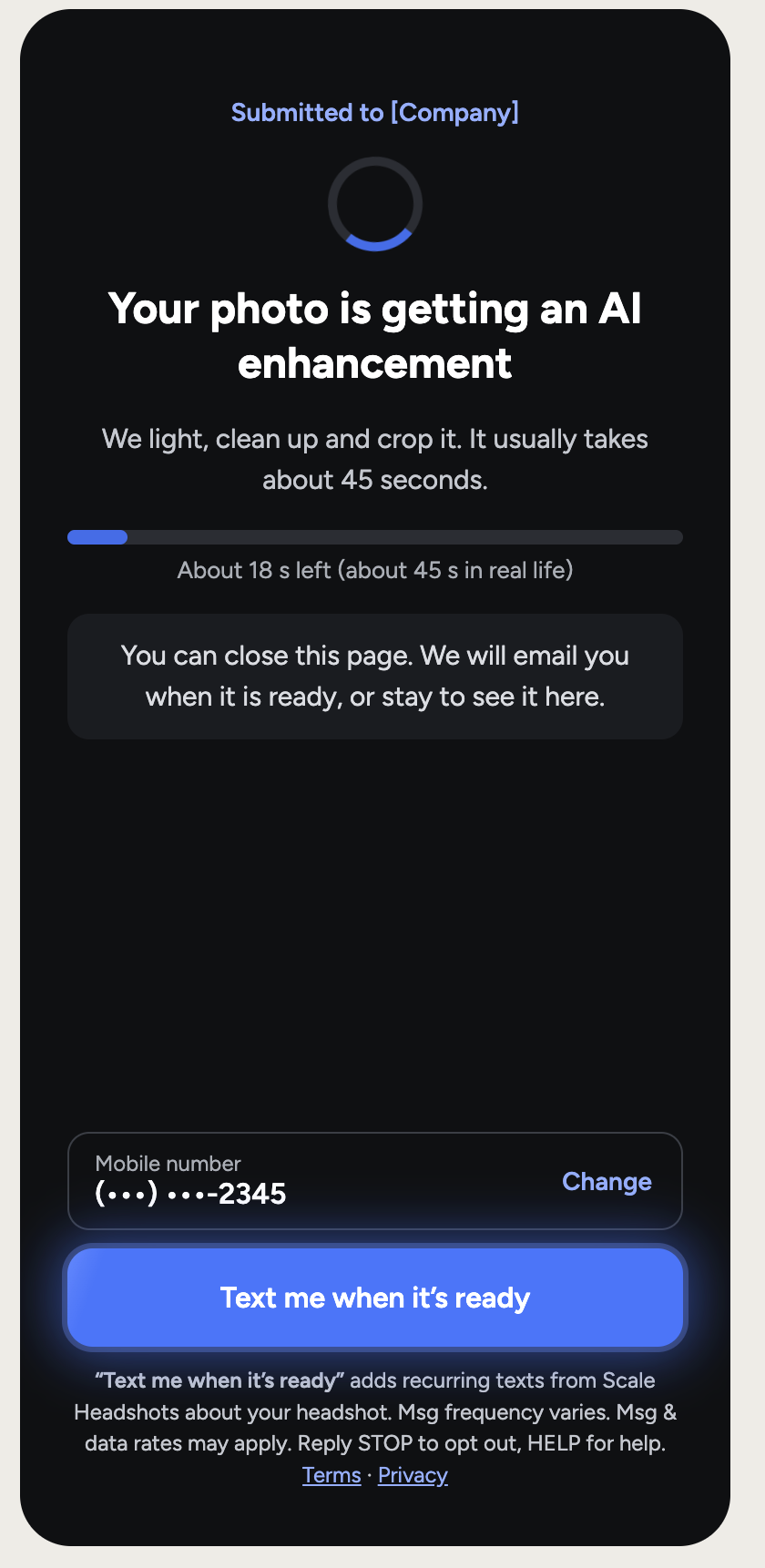
A person who has not opted in can choose "Text me when it's ready" while they wait. Without it, we email them instead.
6. Offer while the photo is being enhanced

7. Confirmation text
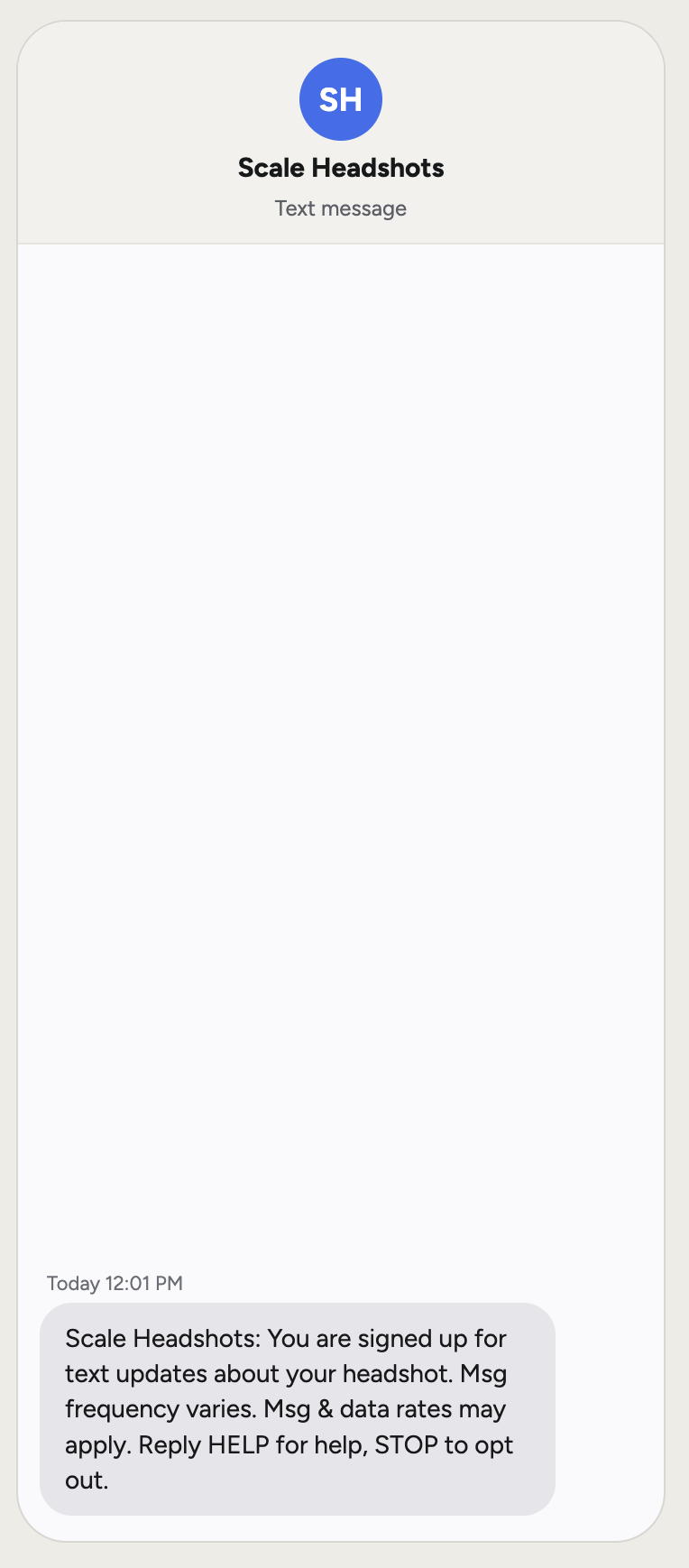
The first text after someone opts in to updates confirms it, with the frequency, rates, HELP and STOP instructions.
7. Confirmation text

Questions: support@scaleheadshots.com.