Scale Headshots + Gusto
Connect Gusto to Scale Headshots
The easiest way to onboard employees with Gusto's HR tools and Scale Headshots self-service platform

Team building on headshot at time
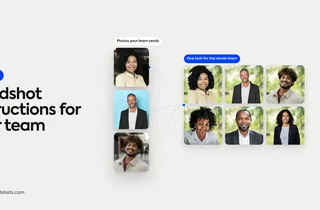
Gusto runs payroll, HR and benefits for your company. Scale Headshots gives everyone a consistent, professional headshot they capture themselves from any device. Together, the people you hire in Gusto are the people who get invited to your headshot studio, with nothing to re-enter by hand.
What the integration does
Import your whole team in one click
Connect your Gusto company, choose a studio, and every active employee lands in Scale Headshots as a contact, ready to invite.
Invite new hires automatically
When someone is onboarded in Gusto, they get an invite to capture their headshot. Their photo is ready for Slack, email signatures and the website by the end of week one.
Clean offboarding
When a termination takes effect in Gusto, that person is deactivated in Scale Headshots on their last day. Their headshot history is kept, and rehires come right back.
Up and running in three steps
1. Connect Gusto
From Integrations in your Scale Headshots dashboard, sign in to Gusto and authorize the connection. Don't have Gusto yet? Create an account right from the same screen.
2. Choose a studio
Pick the studio your team should capture into, and decide who syncs and how existing contacts are matched.
3. Let it run
Your current team imports right away. From then on, every new hire, update and departure in Gusto flows through automatically.
New to Gusto?
Gusto brings payroll, HR and benefits together in one place for growing teams. Start with Gusto, then connect it to Scale Headshots so every hire gets a professional headshot from day one.
Gusto Integration Questions, Answered
What does the Gusto integration do?
It connects your Gusto company to a Scale Headshots studio. Your active team is imported as contacts, new hires are invited to capture their headshot when they're onboarded in Gusto, changes to names and emails sync automatically, and people are deactivated when their termination takes effect.
Do I need a Gusto account first?
No. If you already use Gusto, connect it from Integrations in your Scale Headshots dashboard. If you don't, you can create a Gusto account from that same screen, finish setting it up in Gusto, and then connect it.
Who gets synced from Gusto?
You choose. Sync employees, individual contractors, or both. Only active people are imported, and anyone who leaves is taken out of service automatically.
Are new hires invited automatically?
Yes, by default. When someone is onboarded in Gusto, Scale Headshots sends them an invite to capture their headshot. You can turn automatic invites off in your integration settings if you'd rather invite people yourself.
What happens to people already in my studio?
The integration matches Gusto people to your existing contacts by personal email, work email, or either, depending on your setting, and links them instead of creating duplicates.
What happens when someone leaves the company?
Once their termination takes effect in Gusto, their contact is deactivated in Scale Headshots. Their submission history is kept, and if they're rehired they become active again.
Still have questions? Get in touch and we'll be happy to help!