Industry
How to Keep Team Headshots Consistent Across Every Department
A growing company collects mismatched headshots one department at a time. Here's how to set one standard across every team, and why it matters internally.
 Ben LoBue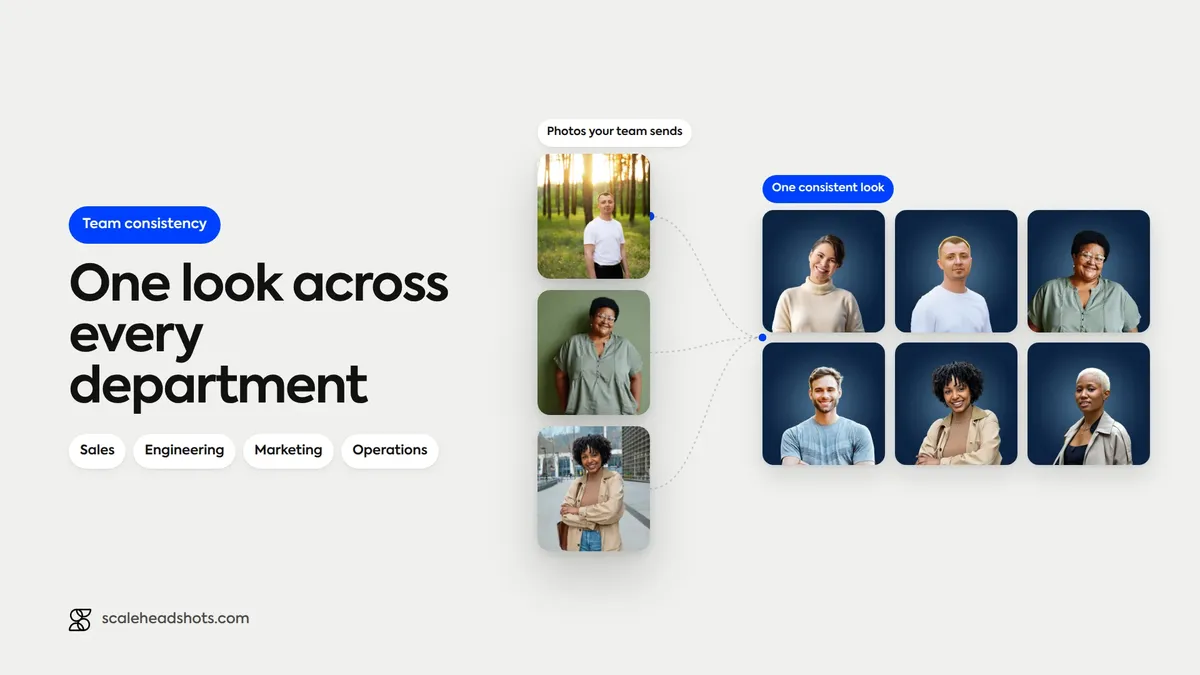
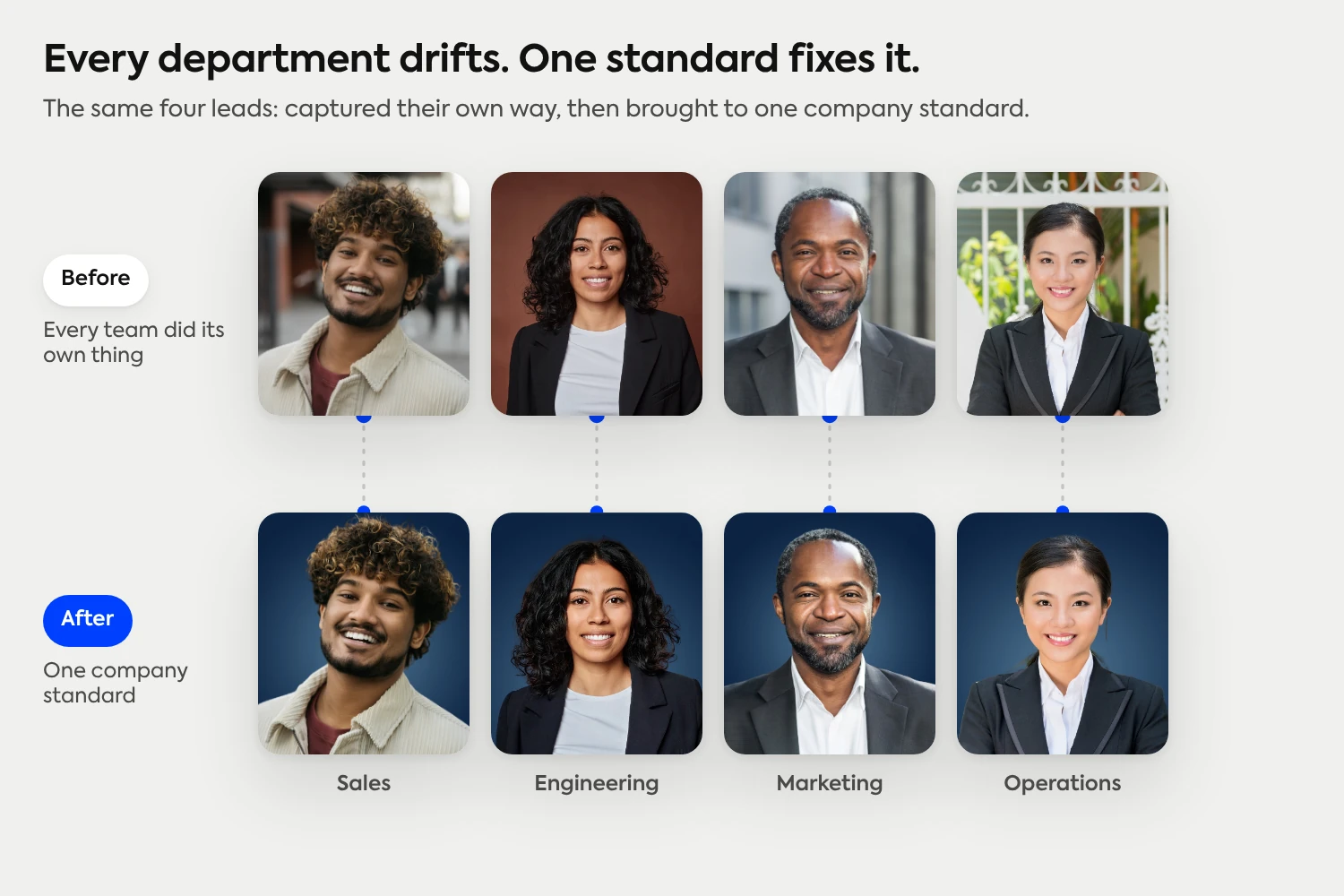
Scroll your company directory and you can usually tell which department someone is in by their photo, not their title. Sales got studio shots at a kickoff two years ago. Engineering never updated theirs. The new marketing hire used a cropped selfie. Operations is a mix of avatars and gray placeholders. Every photo was fine on its own, but together they make the org look like a patchwork to its own people.
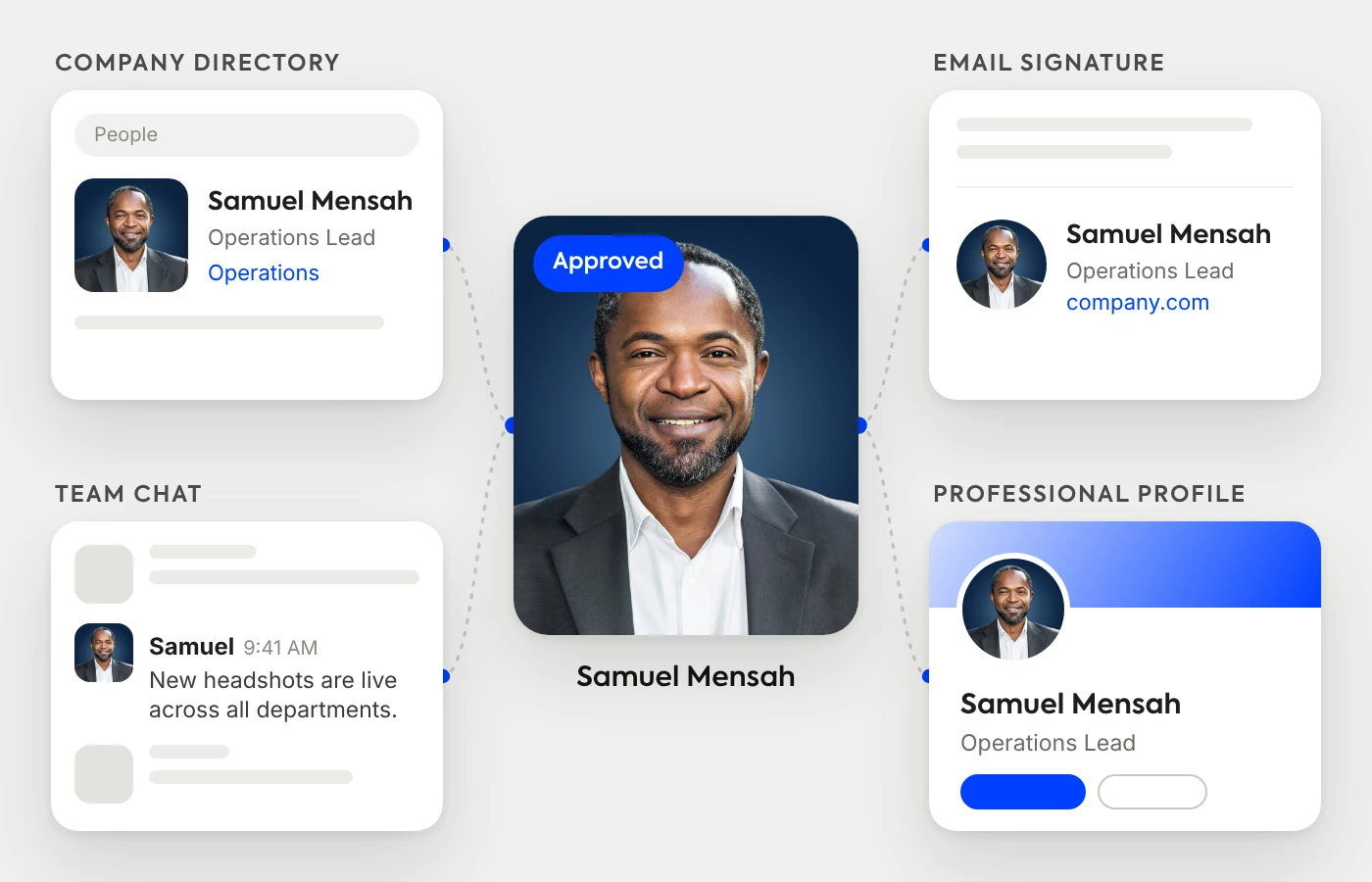
That patchwork is most visible exactly where it matters internally: the directory, Slack and Teams, onboarding decks, the camera-off grid in every meeting. A company that's tightened up everything else still reads as a little disorganized when its faces don't match.
The fix isn't another all-hands photo day. It's one standard that every department captures against, and a way to keep new people on it as you grow. Here's how to get there.
How do you keep headshots consistent across departments?
Set one standard, the same background, lighting, and finish, and have every department capture against it instead of organizing separate shoots. A self-service platform lets people across sales, engineering, marketing, and ops capture from any device and standardizes the results automatically, with moderation to keep the set on-spec and new hires added to the same look. Attire and tone can flex by function; the visual standard stays fixed.
Why departments drift apart (and why it shows)
Departments don't set out to look different. They just get headshots at different times, for different reasons, with different tools. Sales books a photographer before a big conference. Engineering hires fast and skips it. Marketing cares about the look but does its own thing. A year later you have four visual standards instead of one, and nobody decided that on purpose.
On a customer-facing site you might never notice, because you rarely see two departments side by side. Internally, you see them together constantly: the all-company directory, a cross-functional Slack channel, a project kickoff deck with eight headshots from five teams. That's where the mismatch reads as disorganization, and where consistency quietly signals the opposite.
A consistent set makes the whole org feel like one team
When every department shares the same headshot standard, the company stops looking like a federation of teams and starts looking like one organization. That has practical value, not just cosmetic. People put faces to names faster across functions, which makes cross-team requests feel less like cold outreach. The directory becomes something people actually use. And the camera-off meeting grid shows real faces instead of initials, keeping a sense of presence even when nobody's on video.
This is the internal companion to the external case for company headshots. If you're still weighing whether it's worth doing at all, our piece on why your company needs professional team headshots covers the brand and trust side. This one is about keeping it consistent once you've decided to do it, across every team.
It carries into onboarding
The fastest way a consistent set falls apart is hiring. You standardize everyone, then over the next year a steady stream of new people show up with whatever photo they had, and the patchwork slowly returns. The fix is to make a headshot part of onboarding: a new hire captures one on day one, to the same standard, and lands on the directory and in Slack already matching the rest of their department and the rest of the company.
Done that way, consistency is self-maintaining. You set the standard once, and every new person is added to it instead of around it.
Each function can keep its own tone
Consistency across departments doesn't mean everyone looks identical. The fixed part is the background, lighting, and finish, the company standard. Attire and expression can still flex by function, so a developer and a sales director can look like themselves while clearly belonging to the same set. Our industry guides show what each field tends to expect.
See the industry guidesHow to set one standard across every team
The mechanics are simpler than a company-wide shoot. Pick one style and background as the standard. Then roll it out as a single capture flow that everyone, in every department and every office, uses the same way: capture from any device, on their own time, against the same spec. Moderation catches anything off-standard before it lands, and the same flow handles new hires going forward.
The result is a set that holds together across teams and the whole company without anyone coordinating calendars or flying a photographer between offices. The standard does the work that a shoot used to.
One standard, every department, no shoot to coordinate
This is what Scale is built for. An admin sets the style once, then sends a link. Everyone across sales, engineering, marketing, and ops captures their own photo from any device, and the platform standardizes the background, lighting, color, and output so the whole org comes back as one consistent set. Moderation and retakes keep it on-standard, and new hires run the same flow, so the directory never drifts back into a patchwork.
It's AI edited, not generated: the platform improves the real photo each person captured rather than inventing a synthetic face, so everyone still looks like themselves. It works the same for five people or 50,000, at a per-credit cost that scales for large teams. See how the controls work on our features page, or check pricing for volume tiers.
Should every department use the same headshot style?
Use the same standard, not the same look down to the detail. The background, lighting, and finish should match across the whole company, because that's what makes the set read as one organization in the directory and on every internal surface. Attire and expression can flex by function: a creative team and a finance team can each look appropriate to their role while still clearly belonging to the same set. Fix the visual standard; let tone vary.
How do you standardize headshots across remote or multi-office teams?
You skip the shoot and standardize the capture instead. Each person photographs themselves wherever they are, on a phone or laptop, following the same simple guidance, and the platform normalizes the results so a team spread across home offices and several locations comes back looking like one set. This is the only approach that scales cleanly across departments and geographies at once, which is exactly the cross-functional, multi-office situation where headshots usually drift the most. For the capture side, our iPhone headshot guide covers the basics.
What teams are saying
We have been able to help bridge a gap between marketing and the HR onboarding process, with all having access to headshots. The customer support and product are both great!
— Noressa K., Director of Marketing & Communications, TNAA
Frequently Asked Questions
How do you keep headshots consistent across departments?
Set one standard (the same background, lighting, and finish) and have every department capture against it rather than organizing separate shoots. A self-service platform lets people across sales, engineering, marketing, and ops capture from any device and standardizes the results, with moderation to keep the set on-spec and new hires added to the same look. Attire and tone can flex by function while the visual standard stays fixed.
Why does headshot consistency across teams matter internally?
Internally is where you see departments side by side: the company directory, Slack and Teams, onboarding decks, and the camera-off meeting grid. A consistent set makes the whole org look like one organization rather than a patchwork, helps people put faces to names across functions, and makes the directory something people actually use. A mismatched set quietly reads as disorganization.
Should every department use the same headshot style?
Use the same standard, not an identical look. The background, lighting, and finish should match across the company so the set reads as one organization, but attire and expression can flex by function. A developer and a sales director can each look appropriate to their role while clearly belonging to the same set.
How do you standardize headshots across remote or multi-office teams?
Skip the shoot and standardize the capture. Each person photographs themselves wherever they are, on a phone or laptop, following the same guidance, and a platform normalizes the results so a team across home offices and multiple locations comes back as one set. This is the approach that scales across departments and geographies at once, without coordinating calendars or traveling between offices.
How do you keep new hires' headshots consistent with the rest of the company?
Make a headshot part of onboarding. A new hire captures one on day one to the same standard, so they land on the directory and in Slack already matching their department and the wider company. Treating it as an onboarding step keeps consistency self-maintaining: you set the standard once and every new person is added to it instead of around it.
Where do internal team headshots show up?
Across every internal surface: the company directory, Slack and Microsoft Teams profiles, email signatures, onboarding materials, project and intranet tools, and the camera-off grid in video calls. Because these surfaces show many people together, consistency across departments is far more visible internally than on any single external page.
How much does it cost to get consistent headshots for a whole company?
Far less than a company-wide photo shoot. Traditional team photography runs roughly $150 to $500 per person plus the logistics of coordinating multiple departments and offices. A self-service platform like Scale starts at $25 per headshot credit with volume pricing for large teams and no subscriptions, and it works the same whether you're standardizing five people or 50,000.
Still have questions? Get in touch and we'll be happy to help!
One standard, every department
Set the style once, send your company a link, and let every team capture against the same standard from anywhere. Scale finishes each headshot with a consistent background, balanced light, and every format you need, managed from one dashboard, with new hires added to the same look. Real photos, AI edited, not generated. Start free with three credits.